Assemblies
Takeoff assemblies: set it up once, use it on every job
A slab with its concrete, vapor retarder, mesh and edge form. A wall with its studs, board and paint. Save the item as an assembly and the next project starts with it ready to measure.
Start your free trial. No card required.
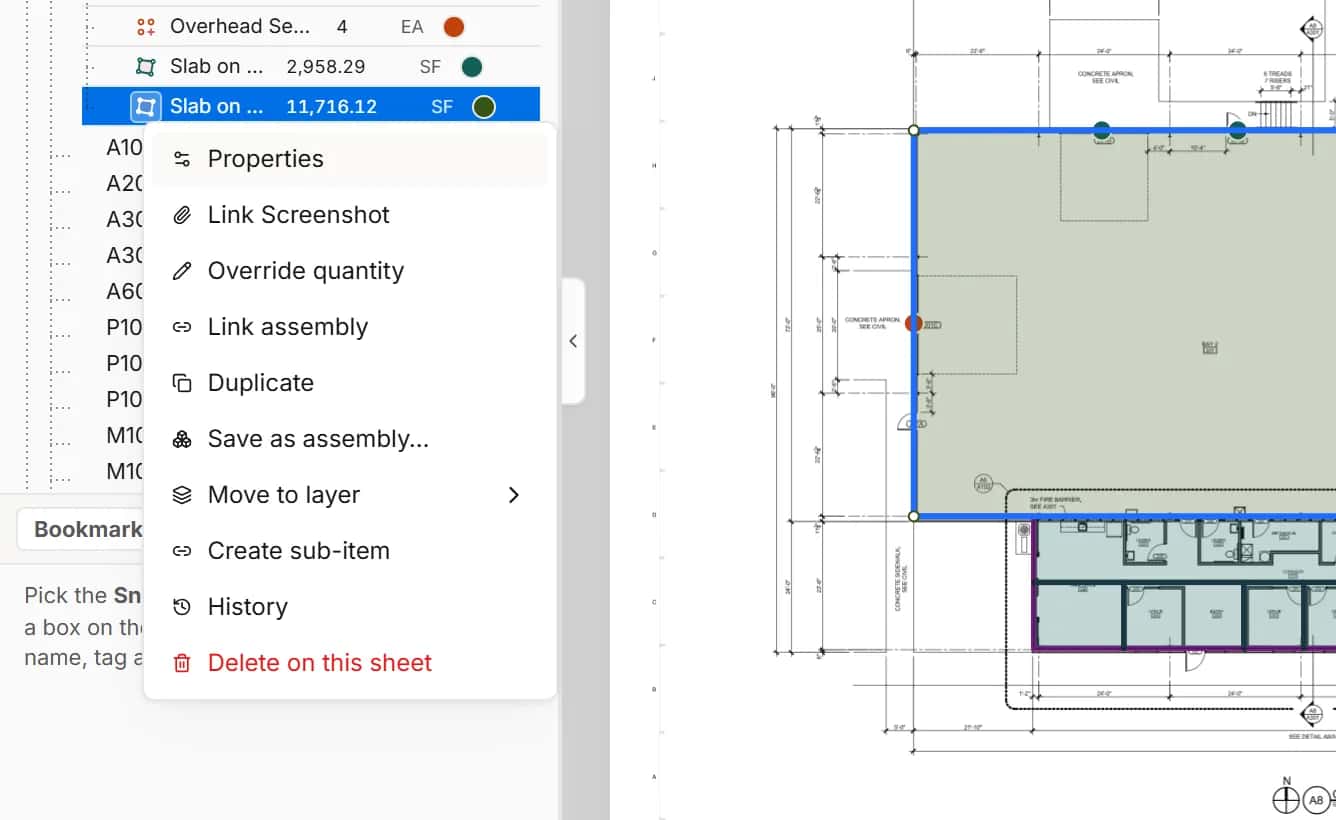
Save as assembly
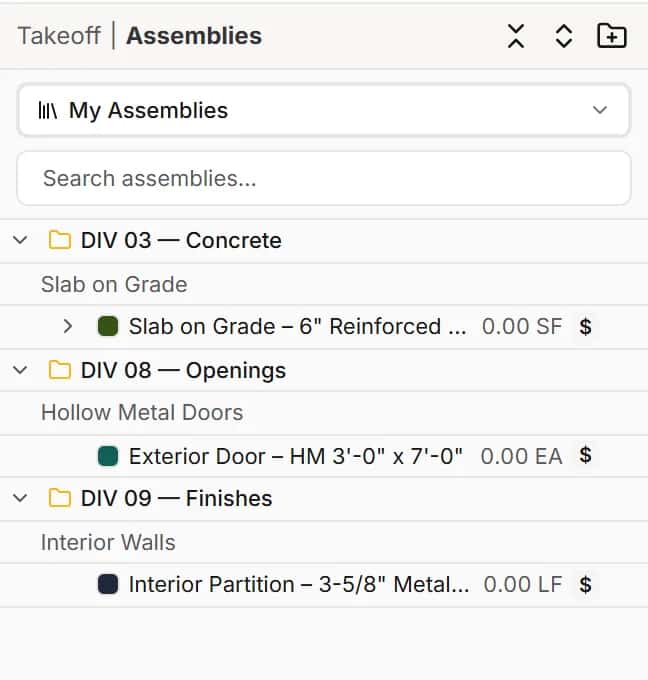
Keep the items you build again and again
Save any item as an assembly, sub-items, formulas and costs included. Assemblies live in your workspace, so the whole team uses the same ones.
- My Assemblies for your workspace
- Copy, change classification, manage sub-items and costs
Use on sheet
Measure with an assembly and everything comes along
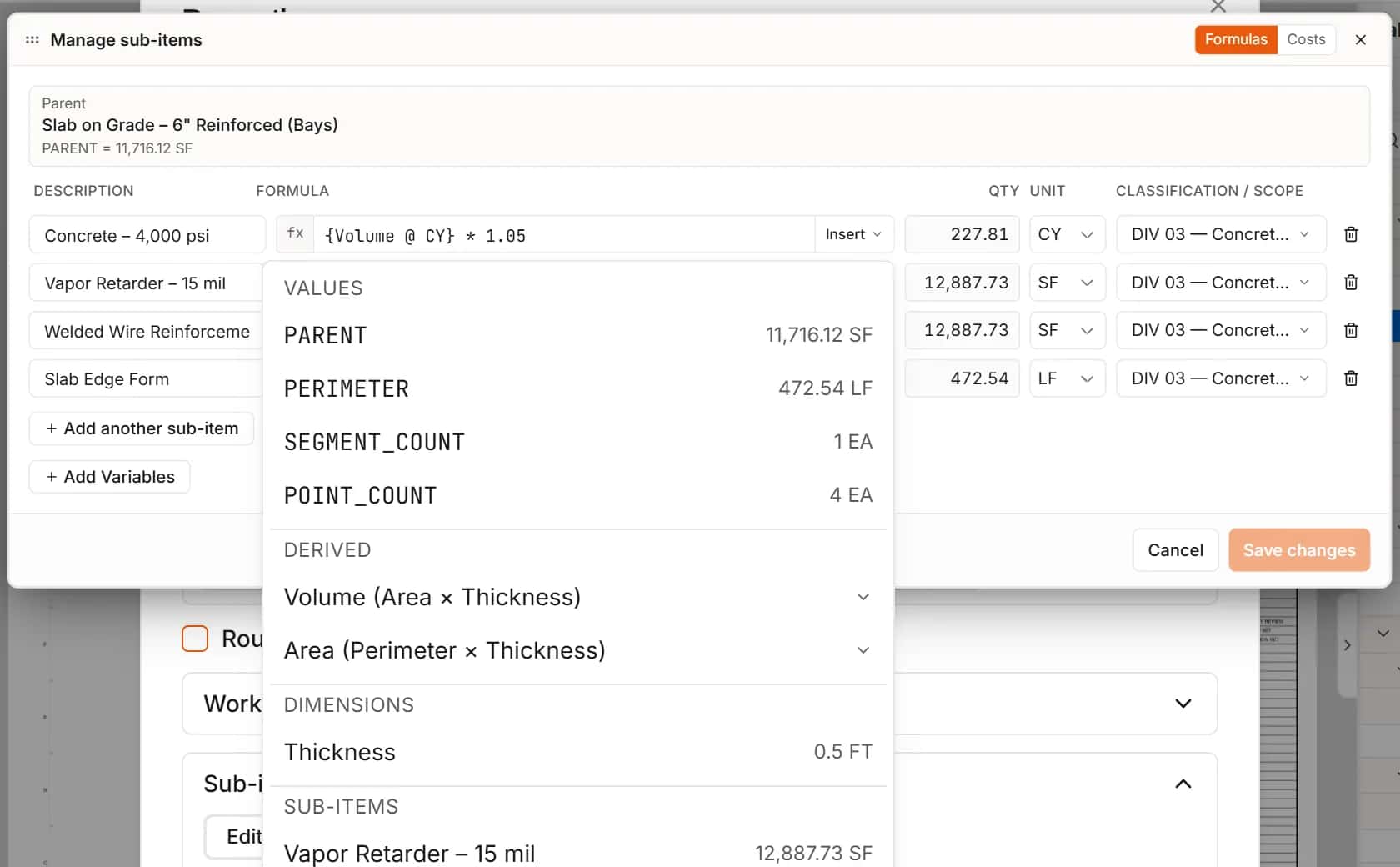
Pick an assembly and measure. The new item arrives with its sub-items and their formulas, so the concrete, the barrier and the mesh are already counted.
- Sub-item formulas recalculate from the new measurement
- Costs carry into the estimate
Costs included
Priced the moment you measure
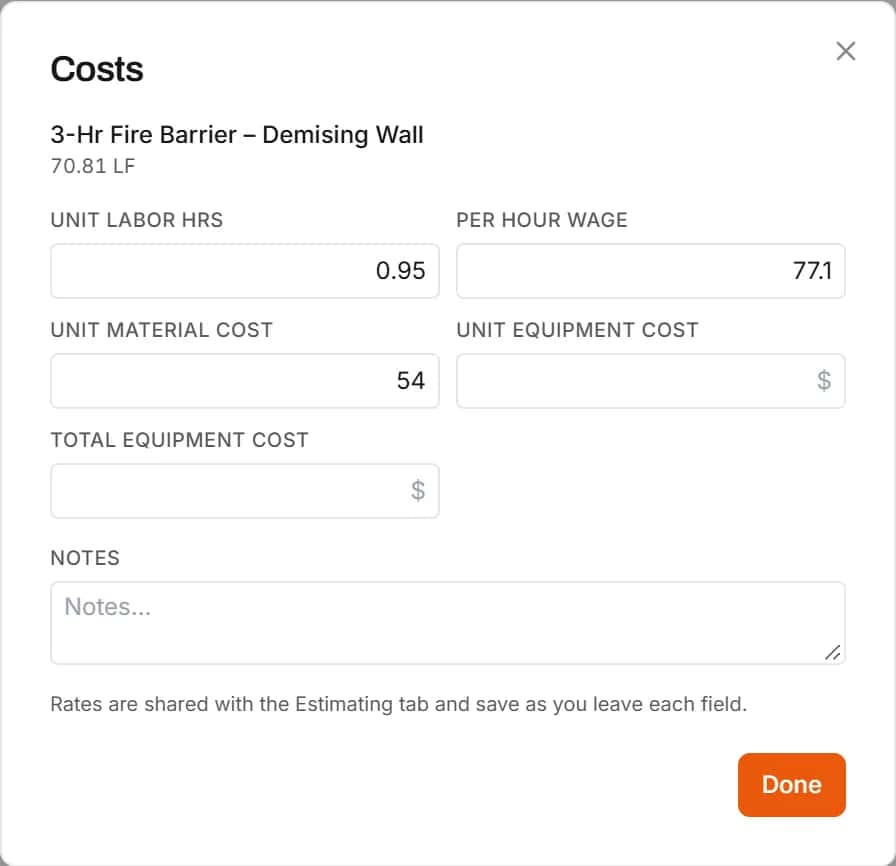
An assembly can carry its cost components: labor, material and equipment, with the rates you typed into it. Measure with it and the new item arrives priced.
- Labor, material, equipment and subcontract components
- Change any rate on the new item in the estimate
How it works
- 1
Build an item
Measure it, add sub-items and costs.
- 2
Save it
Save it as an assembly for the workspace.
- 3
Reuse it
Measure with it on the next project.
Frequently asked questions
Can I reuse takeoff items across projects?
Yes. Save an item as an assembly and use it on any sheet in any project in your workspace.
Do assemblies keep their formulas and costs?
Yes. Sub-items, formulas and costs are saved with the assembly and come along when you use it.
Can the whole team use the same assemblies?
Yes. Assemblies are saved to the workspace, so everyone in it measures with the same ones.
Can I change an assembly's classification or costs later?
Yes. Change its classification, manage its sub-items and edit its costs from the Assemblies list.
Related features
- TakeoffMeasure lengths, areas and counts on your plans, with every sheet at its own scale.Learn more
- EstimatingPrice every takeoff item with labor, material, equipment and sub quotes, up to the bid total.Learn more
- ClassificationsFile every item under CSI MasterFormat, UniFormat or NRM as you measure.Learn more
- Excel exportExport the estimate with live formulas, linked quantities and a bid summary sheet.Learn more
Bring your next bid set.
Upload the drawings, set the scale and measure your first item in the same sitting. Your projects live in the cloud, so the whole team opens the same set from any computer.
Start your free trial. No card required.