For subcontractors
Takeoff software for subcontractors who bid a lot of work
You get the full set and only need your scope. Find your sheets, count your symbols automatically, measure the rest, and price it with your own crews and labor rates.
Start your free trial. No card required.
Counts
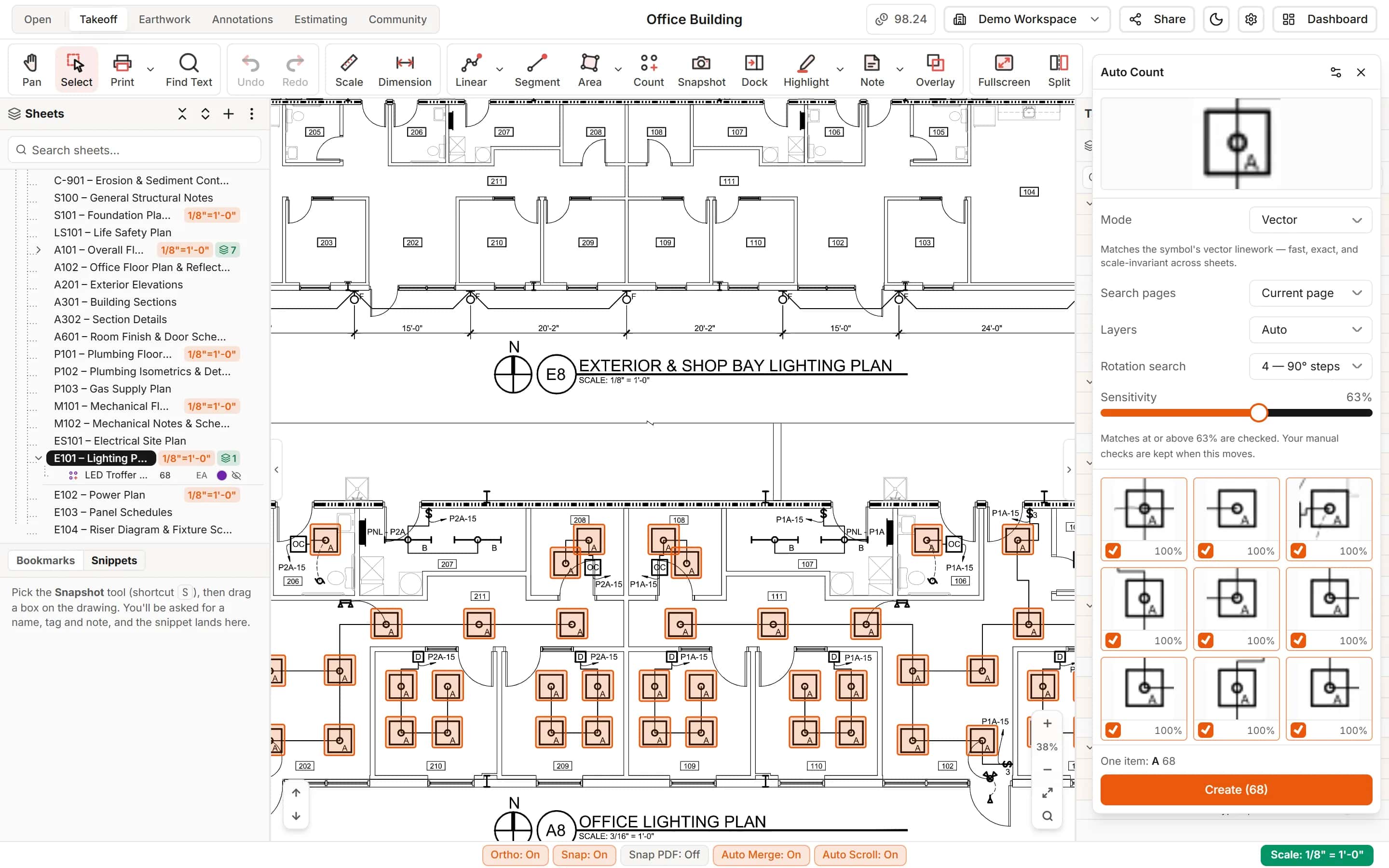
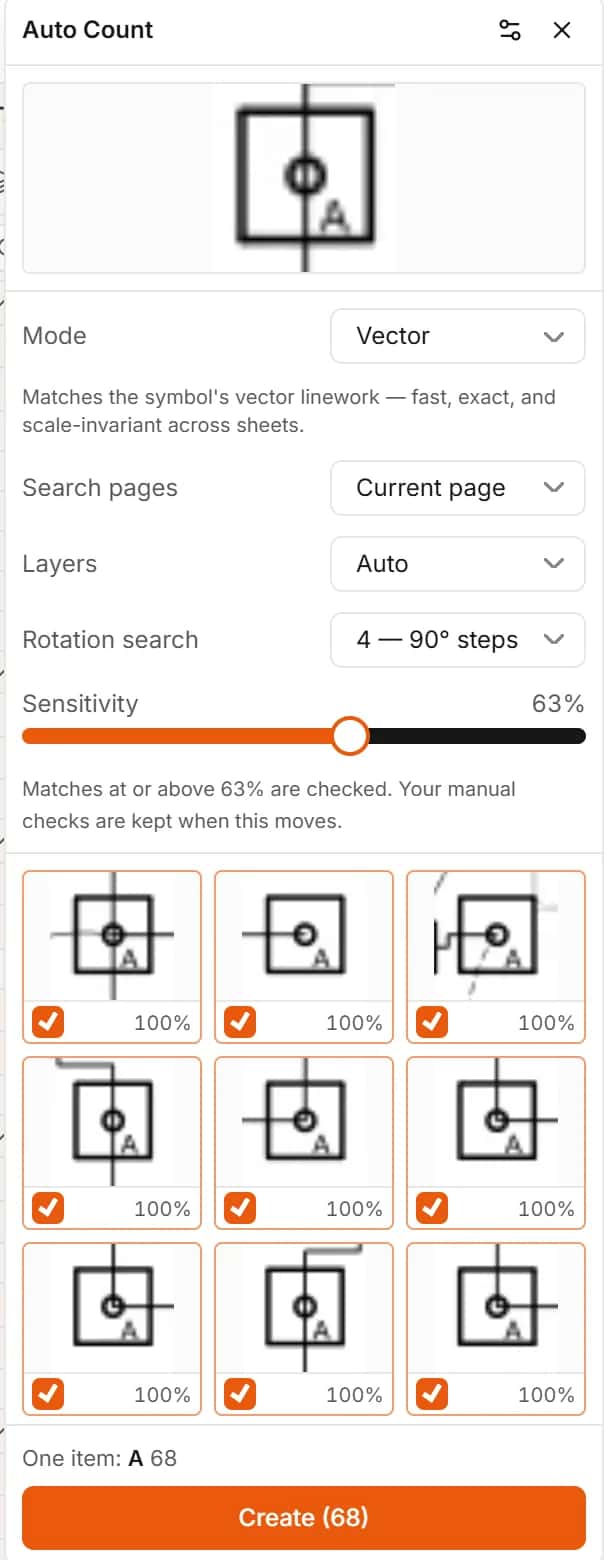
Count devices and fixtures without clicking each one
Box one symbol and Auto Count finds the others, turned and mirrored copies included. Review the matches and create the count in one step.
- Page, whole set or chosen sheets
- One item per printed tag
Your scope
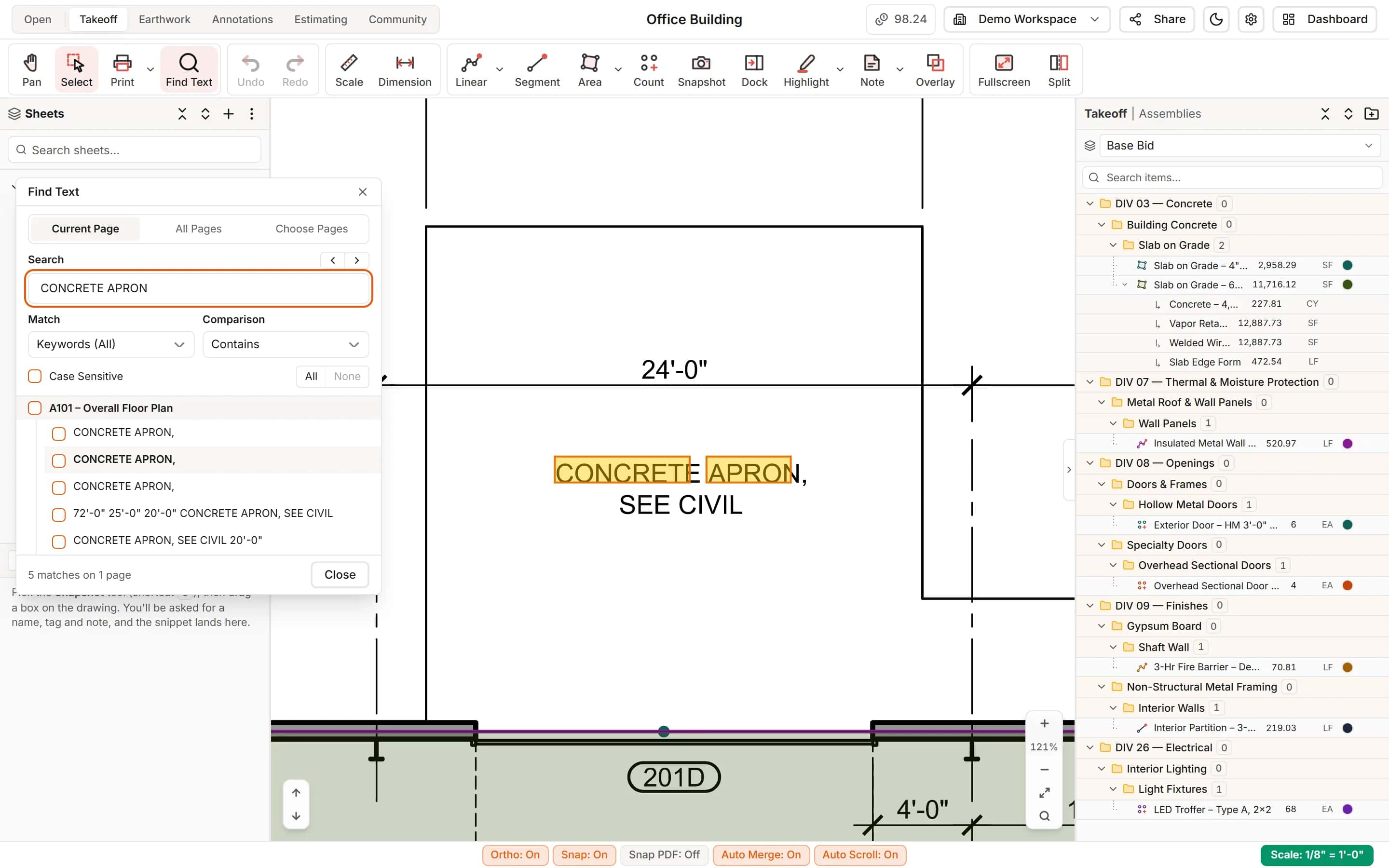
Find your scope in a big set
Search the printed text for your keynotes and tags, name the set from its title blocks, and turn a schedule into items with Extract Schedule.
- Find Text across every sheet
- Extract Schedule for door, window and fixture schedules
Labor
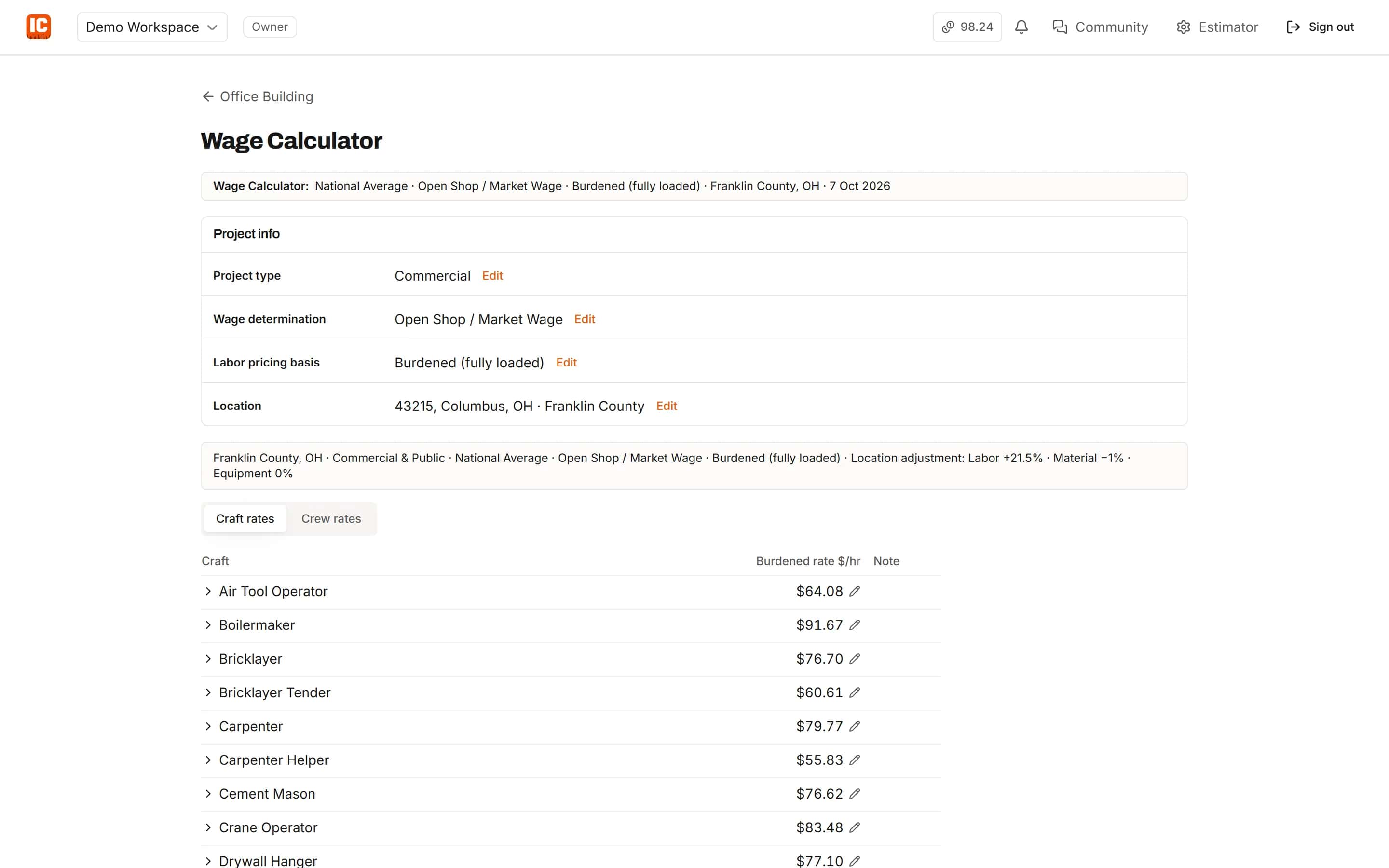
Price labor with your crews and the job's rates
Crews follow the classification of what you measured. Rates come from the Wage Calculator for the project's location and wage determination, or from your own data.
- Open shop, union or prevailing wage
- Override any rate for the job
Crews
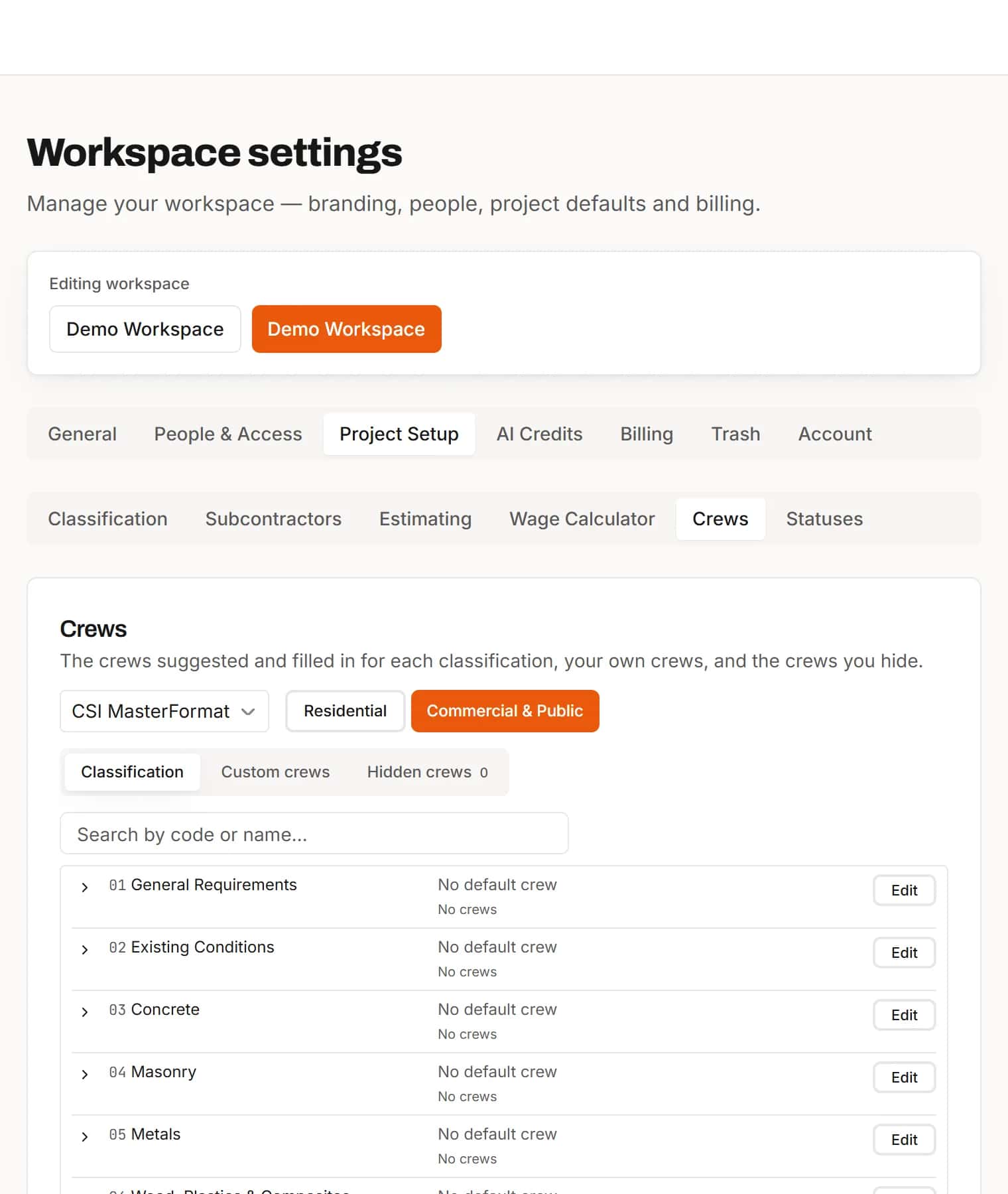
Your crews, set once for the whole office
Build your own crews, hide the ones you never use, and let IntelCost suggest the right crew for each scope you measure.
- Custom crews for your trade
- Crew cost per man-hour and per crew-hour
Your number
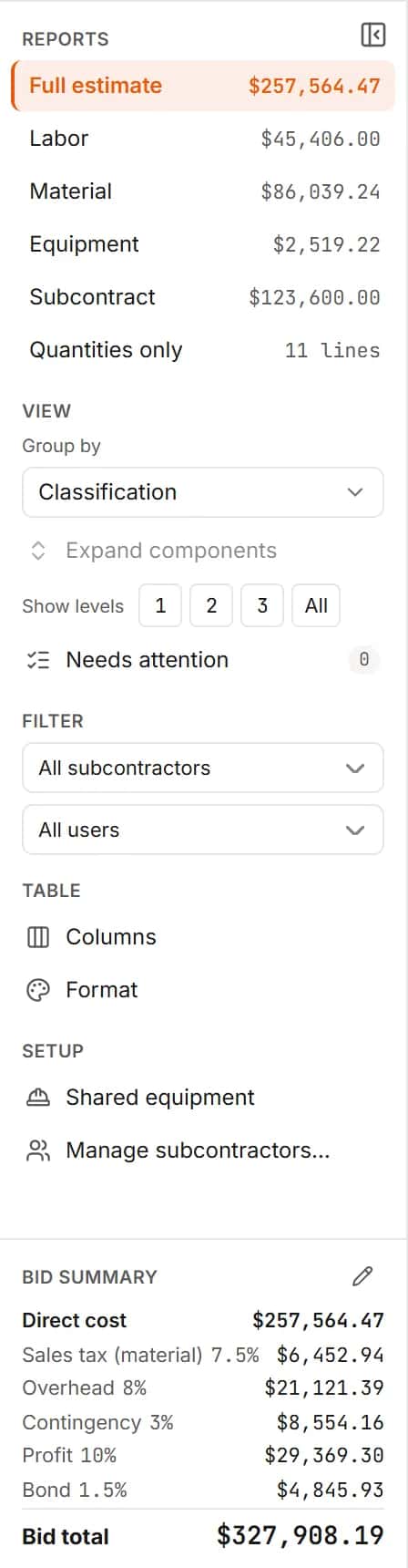
Send the GC a clean number
Mark up to your bid total with tax, overhead, profit and bond, and export the estimate to Excel with its bid summary.
- Bid summary sheet in the export
- Quantities only when the GC wants to compare
How it works
- 1
Find your sheets
Name the set and search it for your scope.
- 2
Count and measure
Auto Count symbols, measure runs and areas.
- 3
Price with your crews
Labor at the job's rates, material and equipment, then export.
Frequently asked questions
Can I count light fixtures or receptacles automatically?
Yes. Box one symbol and Auto Count finds every match on the page or across the set, including rotated and mirrored copies. You review the matches before the count is created.
Can I send my quantities to a general contractor?
Yes. Export the estimate to Excel, or a quantities-only report without your prices.
Can I take off only my scope from a full drawing set?
Yes. Search the set for your keynotes and tags with Find Text, measure only the sheets you need, and file your items under your own scopes.
Can I use union or prevailing wage rates?
Yes. The Wage Calculator supports Open Shop, Union (CBA) and federal or state prevailing wage for each project.
Features for this work
- Auto CountBox one symbol and IntelCost finds the rest, turned and mirrored copies included.Learn more
- TakeoffMeasure lengths, areas and counts on your plans, with every sheet at its own scale.Learn more
- EstimatingPrice every takeoff item with labor, material, equipment and sub quotes, up to the bid total.Learn more
- Wage CalculatorLabor rates for the job's location and wage determination, saved to the project.Learn more
Bring your next bid set.
Upload the drawings, set the scale and measure your first item in the same sitting. Your projects live in the cloud, so the whole team opens the same set from any computer.
Start your free trial. No card required.