For general contractors
Takeoff and estimating software for general contractors
Bid day leaves no time to copy quantities between programs. Measure every division in one project, price it with your own rates and sub quotes, and carry it through overhead, profit and bond to the number you submit.
Start your free trial. No card required.
The whole set
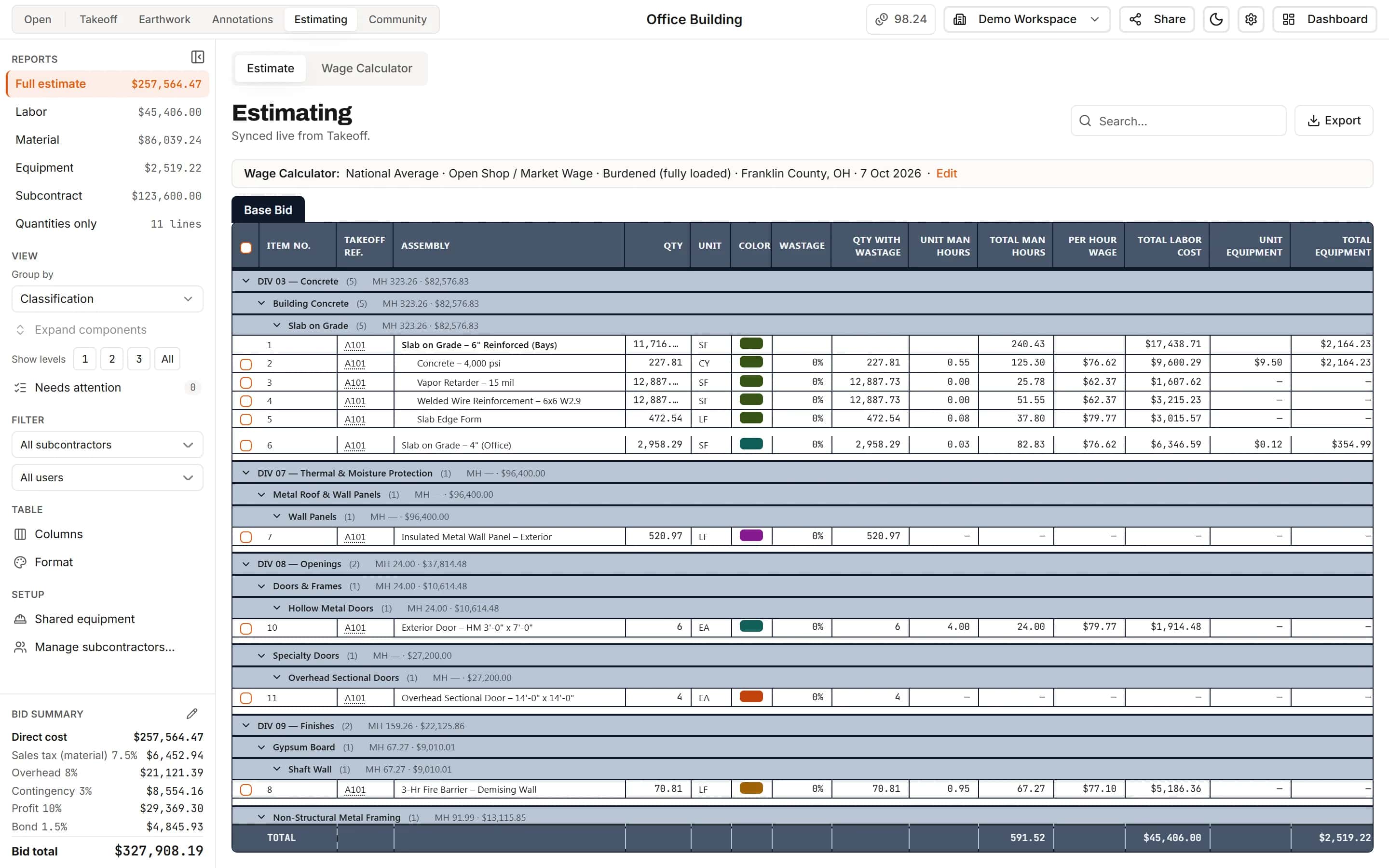
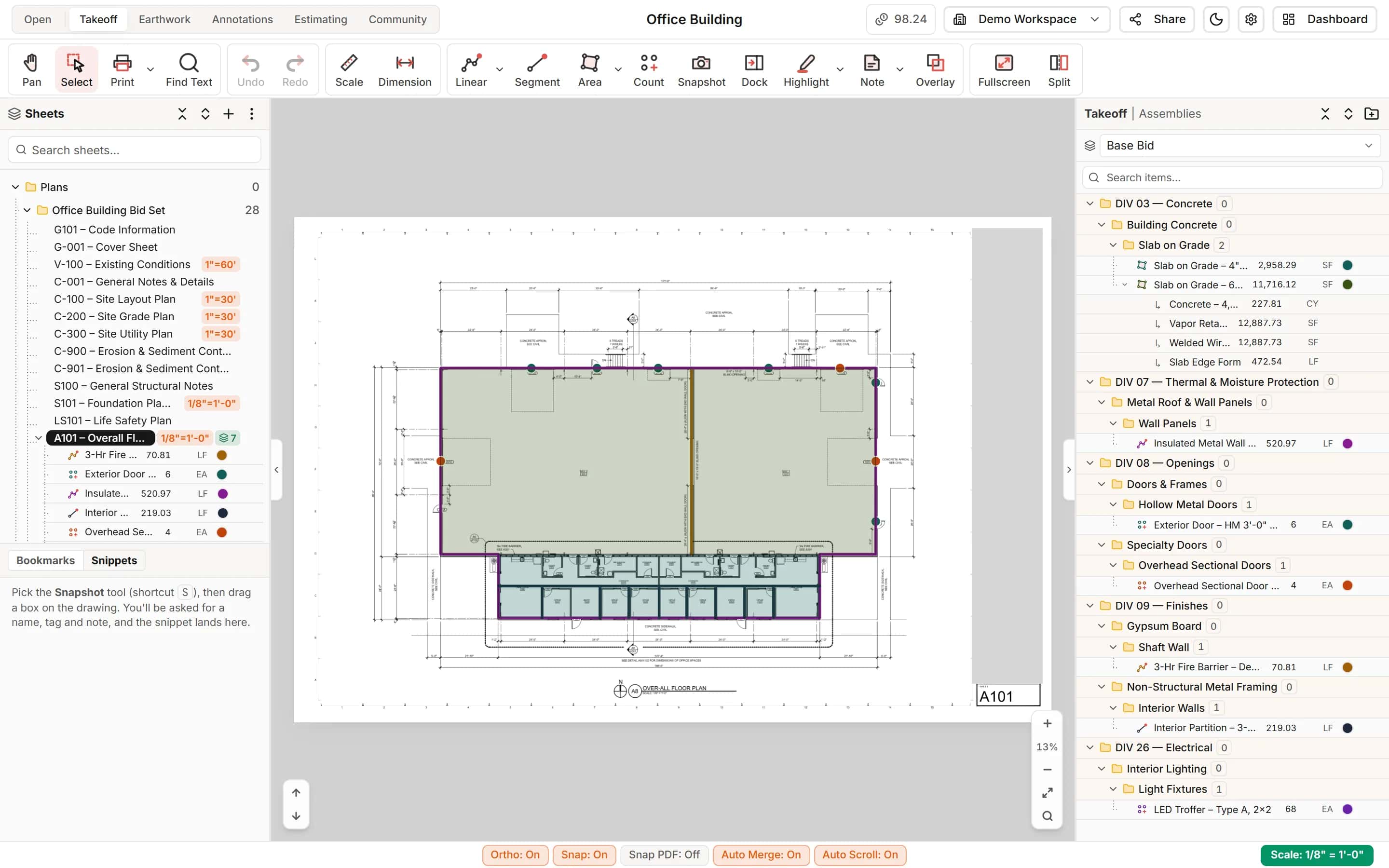
Every division in one takeoff
Concrete, openings, finishes, electrical and site work, each filed under its CSI division as you measure. Name a full set from its title blocks in one pass and keep every sheet at its own scale.
- Linear, area, segment and count
- Sub-items for concrete yards, barrier and reinforcing
- Layers for base bid and alternates
Sub quotes
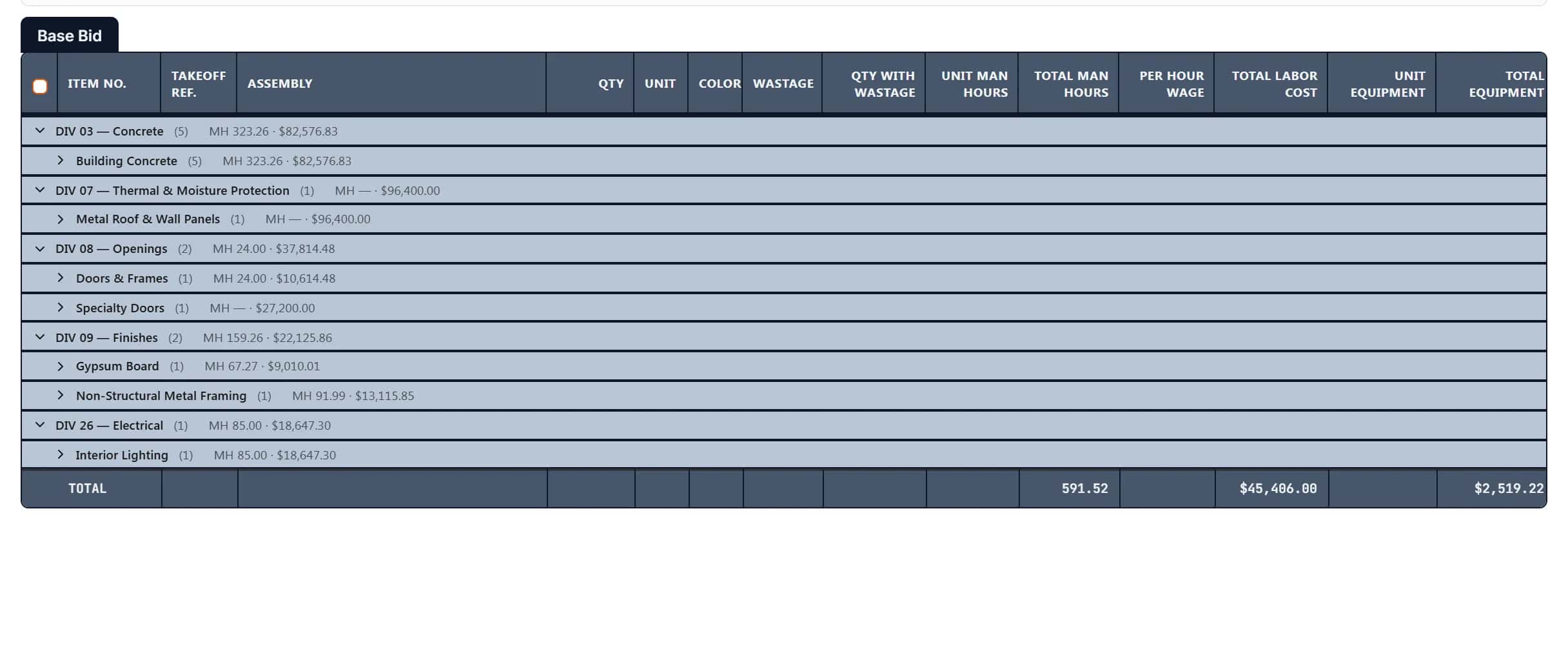
Self-perform and subcontract side by side
Price your own work with labor, material and equipment, and enter sub quotes on the scopes you buy out. Group the estimate by subcontractor to see each package, or send a quantities-only report.
- Subcontractors mapped to scopes
- Quantities only report for bidders
- Needs attention flags a sub cost with no sub
Bid total
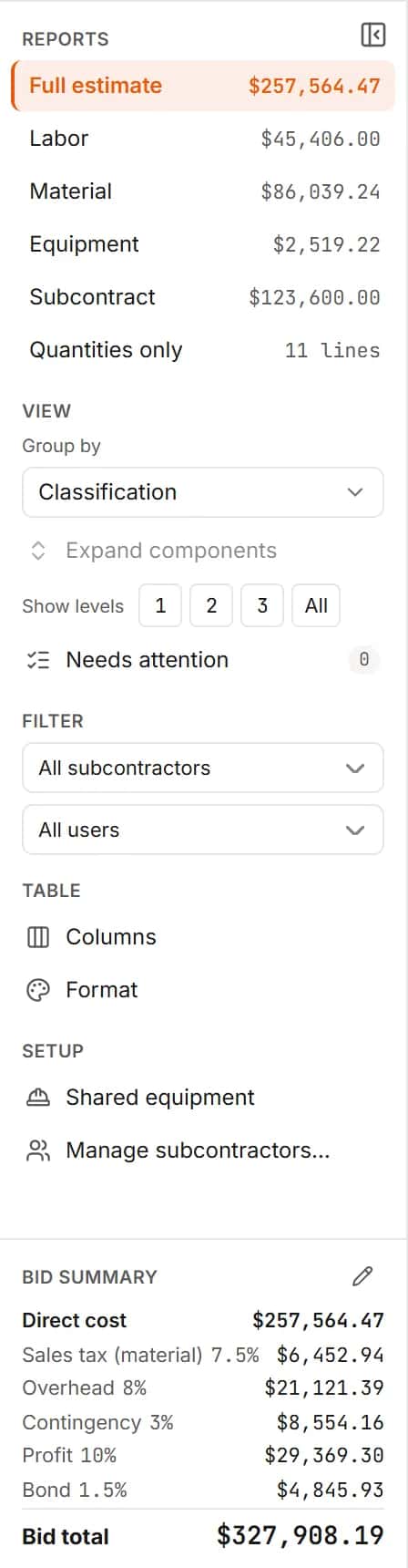
Markups that compound the way you bid
Sales tax on material, overhead, contingency, profit and bond, each on the running subtotal, with your workspace defaults on every new job.
- Export the estimate and bid summary to Excel
- Labor rates for the job's county and wage determination
Project setup
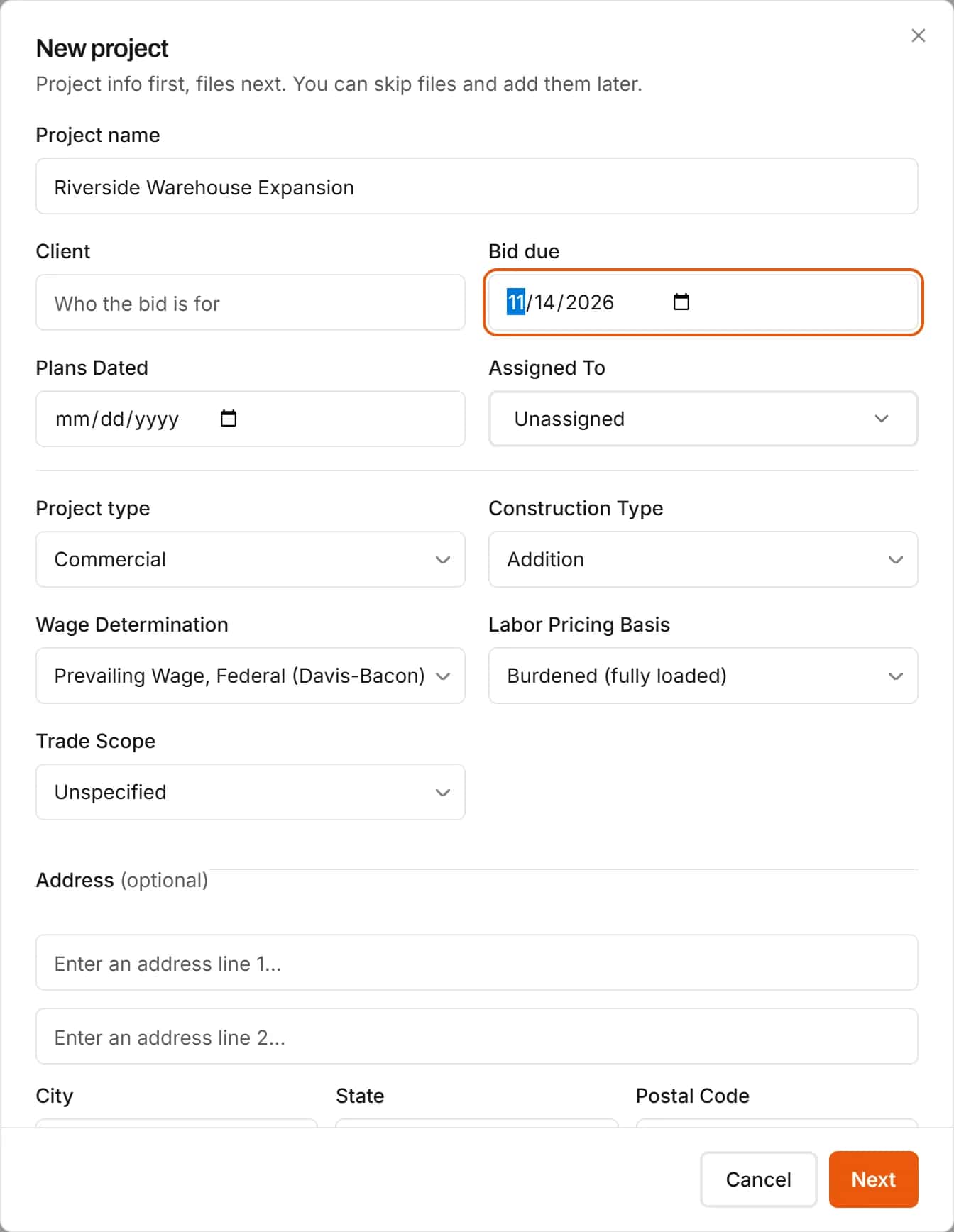
Start every bid with the details that drive the price
A new project takes the project type, construction type, wage determination and labor pricing basis up front, plus the bid date and the people on it. Drop in the plans, specs, reports and site photos in one go.
- Files sorted into Plans, Specs, Reports and Site Photos
- Wage determination and pricing basis carried into the labor rates
Bid pipeline
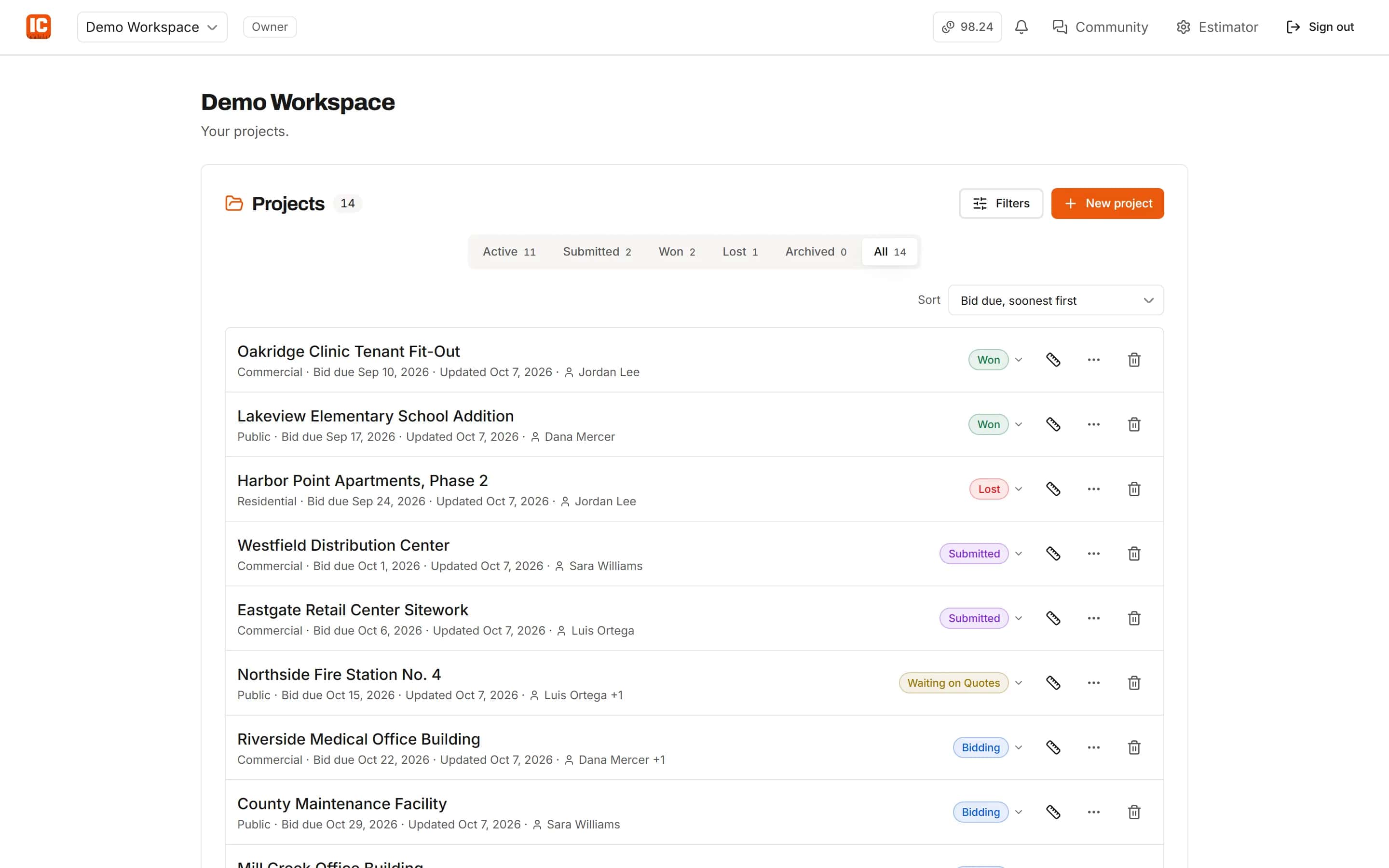
Every bid and its status in one list
The projects dashboard shows each bid with its status, due date and who is on it: bidding, submitted, won or lost. Rename the statuses or add your own.
- Filter by client, bid due date and status
- Custom statuses for the way your office works
Your team
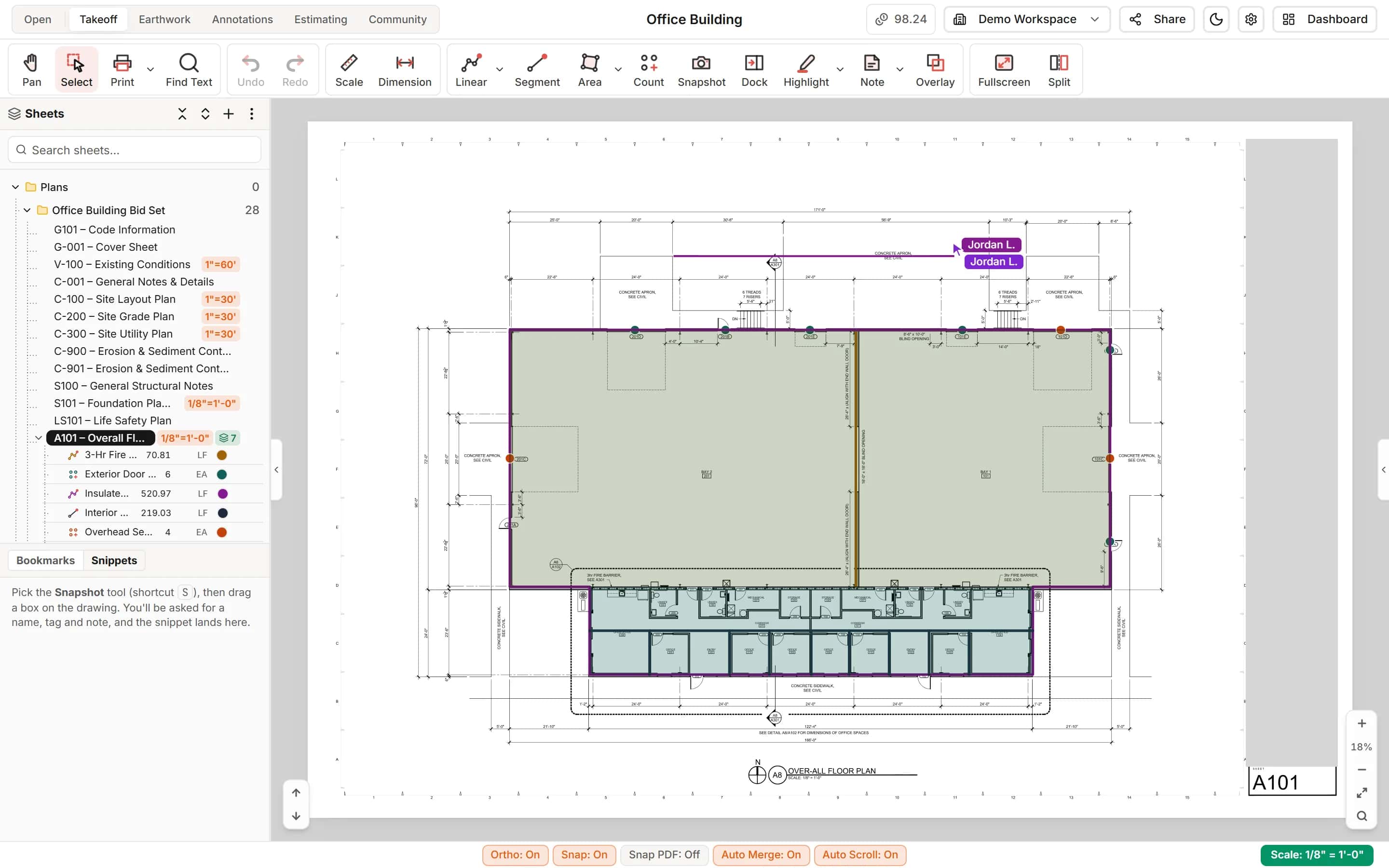
Estimators, PMs and reviewers on the same project
Split the takeoff between estimators, let a PM price while the takeoff finishes, and give reviewers annotations and comments. Everyone works the same cloud project at once. Owners and designers who are not on your team can open a read-only share link instead.
- Roles for takeoff, pricing, QA and viewing
- Live cursors and changes
- Read-only share links with optional password and expiry
How it works
- 1
Take off the set
Every division, filed as you measure.
- 2
Price and buy out
Your rates for self-perform, quotes for subs.
- 3
Submit
Markups to the bid total, exported to Excel.
Frequently asked questions
Can our estimators and project managers work on the same bid?
Yes. Everyone works the same cloud project at the same time, with roles that decide who measures, who prices and who reviews.
Can we price public work with prevailing wages?
Yes. The Wage Calculator handles Davis-Bacon and state prevailing wage, with rates adjusted to the project's county and saved with the project.
Can we keep alternates separate from the base bid?
Yes. Each project starts with Base Bid, Alternate and Deferred Submittals layers, and the estimate can show one tab per layer.
Can we file everything under CSI MasterFormat divisions?
Yes. Every item is classified by division, scope and sub-scope as it is measured, and the estimate groups the same way.
Do we have to install anything on our estimators' computers?
No. IntelCost is cloud software. Estimators sign in from any computer and open the same projects.
Can the owner or architect see the takeoff without an account?
Yes. Send them the project's share link. They see the sheets with your takeoff, the quantities and the estimate lines, read-only, and cannot change, export or print anything. Add a password or an expiry date, and revoke the link when the bid is done.
Features for this work
- TakeoffMeasure lengths, areas and counts on your plans, with every sheet at its own scale.Learn more
- EstimatingPrice every takeoff item with labor, material, equipment and sub quotes, up to the bid total.Learn more
- Wage CalculatorLabor rates for the job's location and wage determination, saved to the project.Learn more
- CollaborationYour whole team on the same project in real time, with annotations and comments for reviewers.Learn more
Bring your next bid set.
Upload the drawings, set the scale and measure your first item in the same sitting. Your projects live in the cloud, so the whole team opens the same set from any computer.
Start your free trial. No card required.