Classifications
CSI MasterFormat estimating, filed as you measure
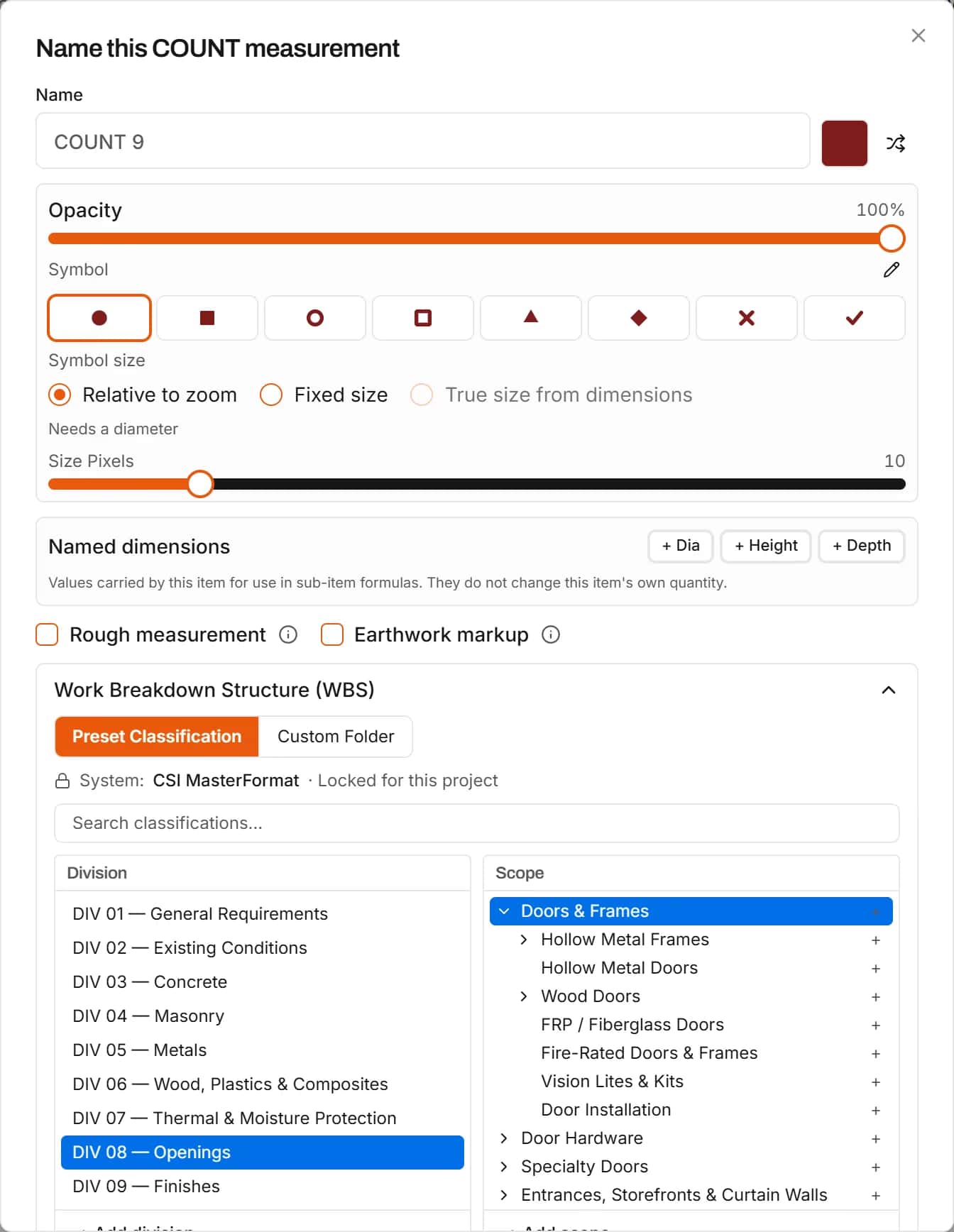
Every measurement asks where it belongs: division, scope and sub-scope. The takeoff list and the estimate are organized the way you bid from the first click, and subcontractor packages follow the same structure.
Start your free trial. No card required.
Classification systems
Division, scope and sub-scope on every item
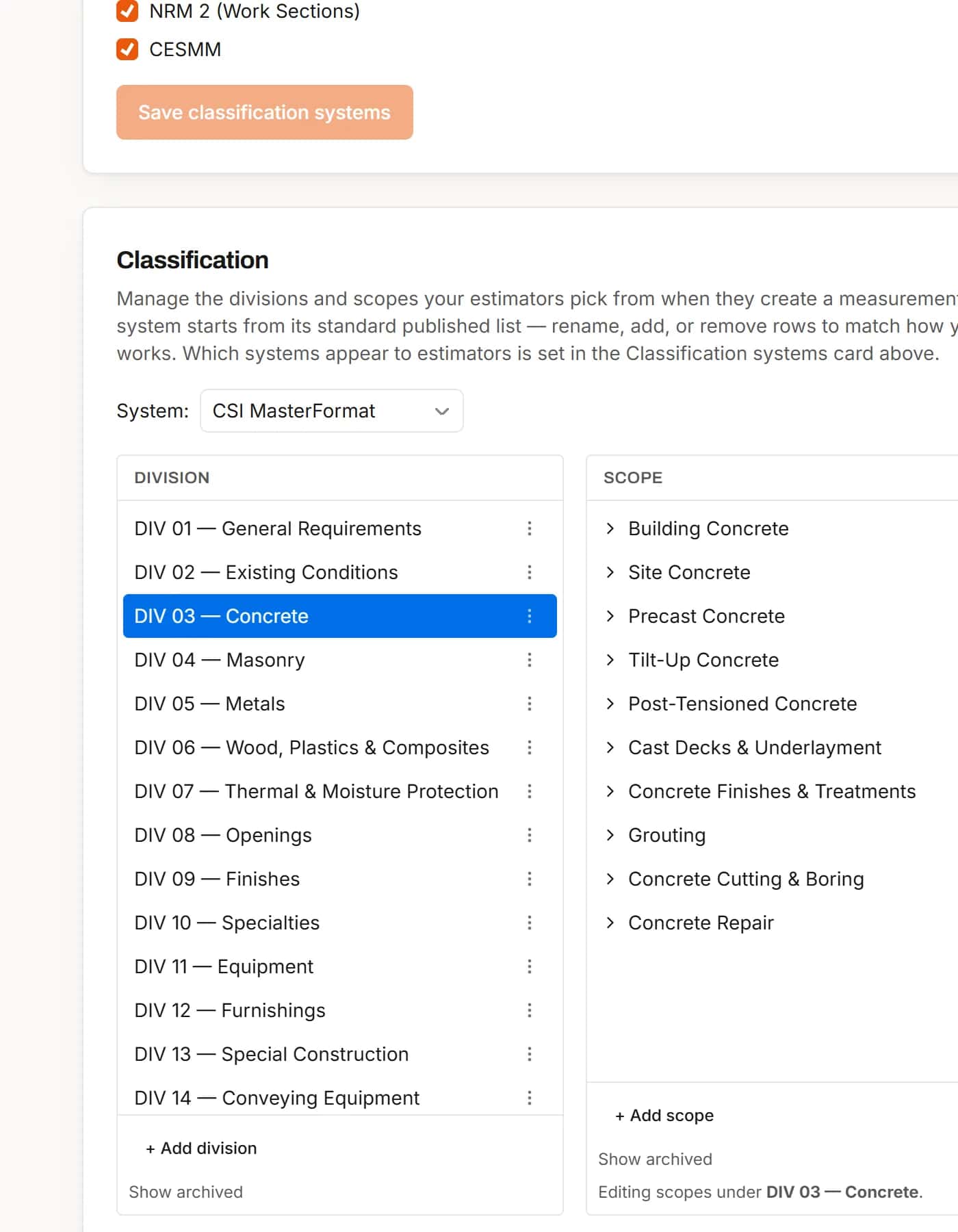
Pick the system for the project, then the division, scope and sub-scope as you name a measurement. Search the tree or add your own scopes.
- CSI MasterFormat, UniFormat, NRM 1, NRM 2 and CESMM
- Or your own custom folders
- Archive what you do not use, lock it per project
Organized takeoff
A takeoff list that reads like your bid
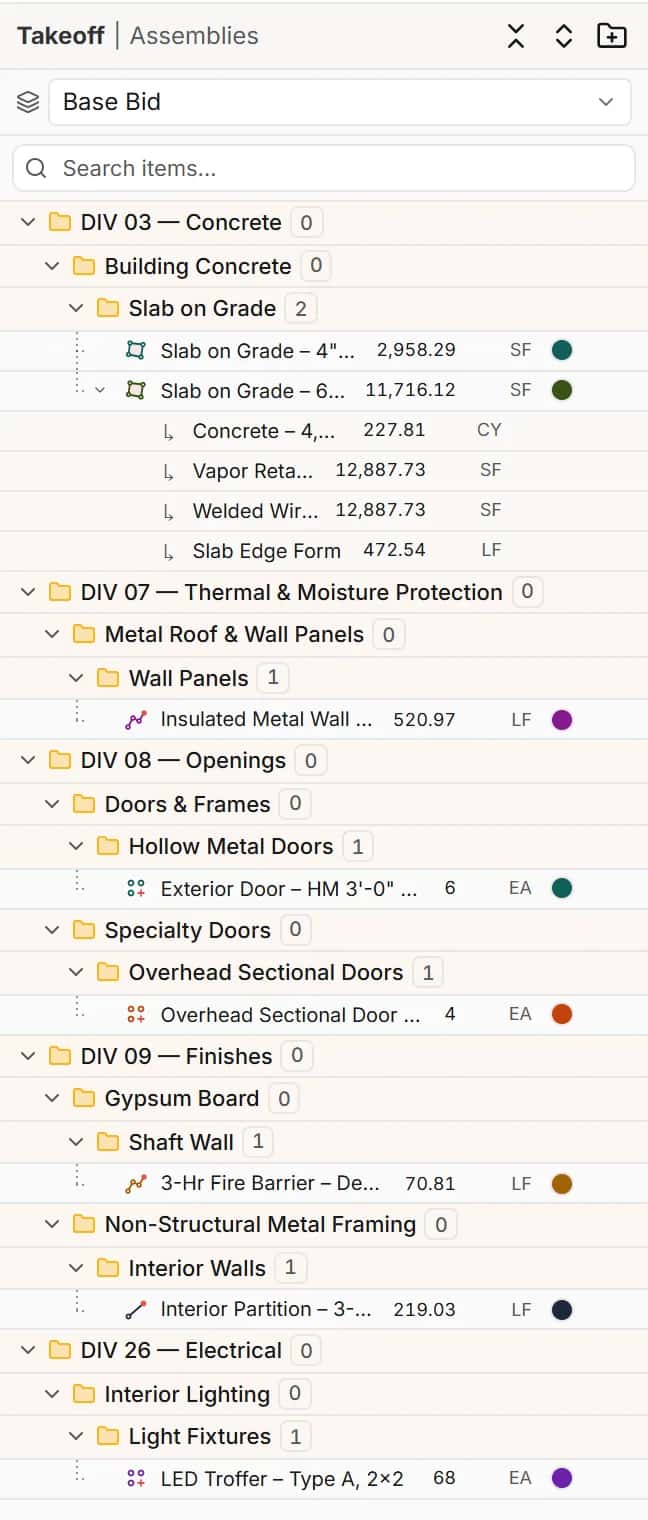
Items sit under their division and scope, with counts per folder, so a reviewer finds the doors or the slabs at a glance.
- Divisions, scopes and sub-scopes as folders
- Quantities with units on every row
Subcontractors
Group and filter the estimate by classification or sub
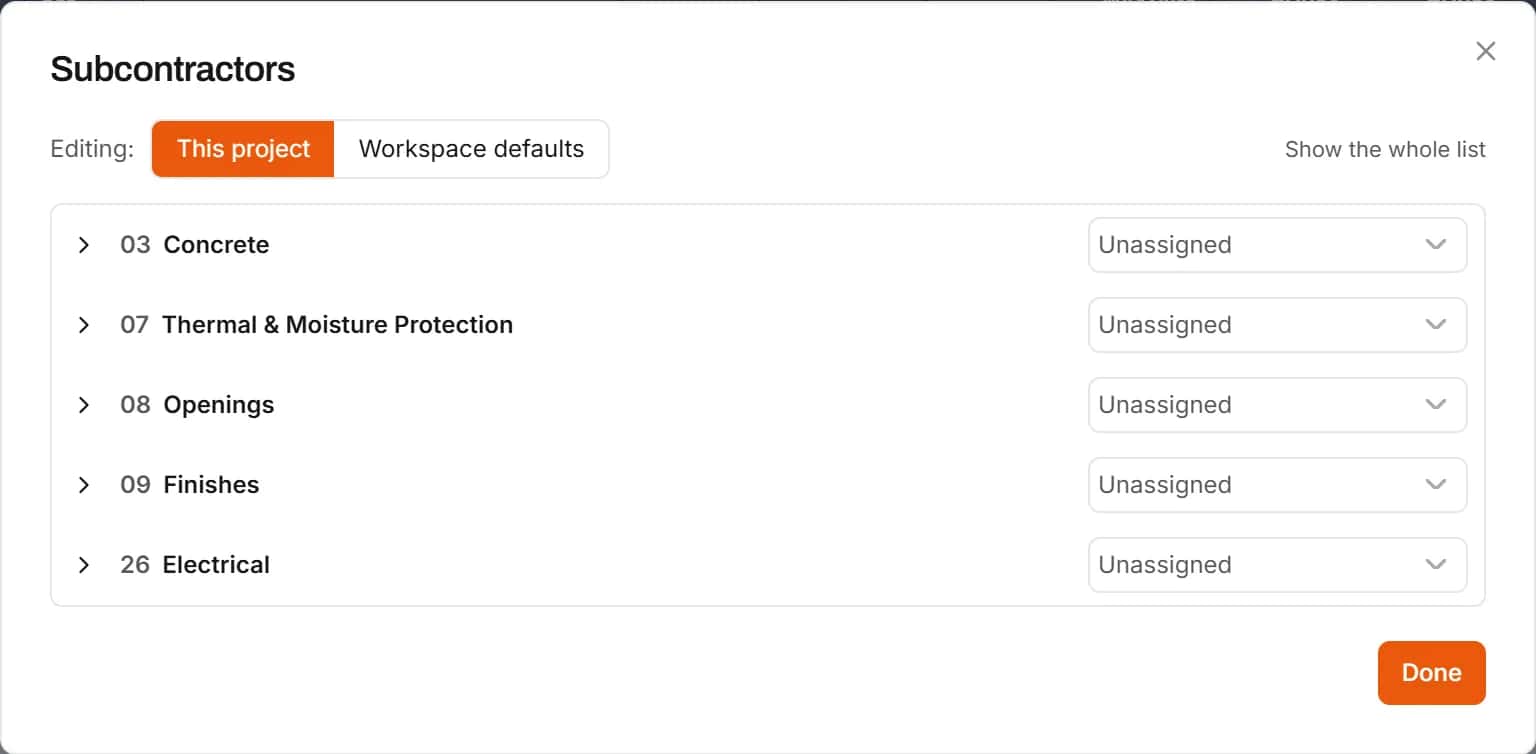
Subcontractors map to scopes, with per-project overrides. Group the estimate by classification or subcontractor, or filter to one sub to build a package.
- Default subcontractors mapped to scopes
- Per-project changes without touching the defaults
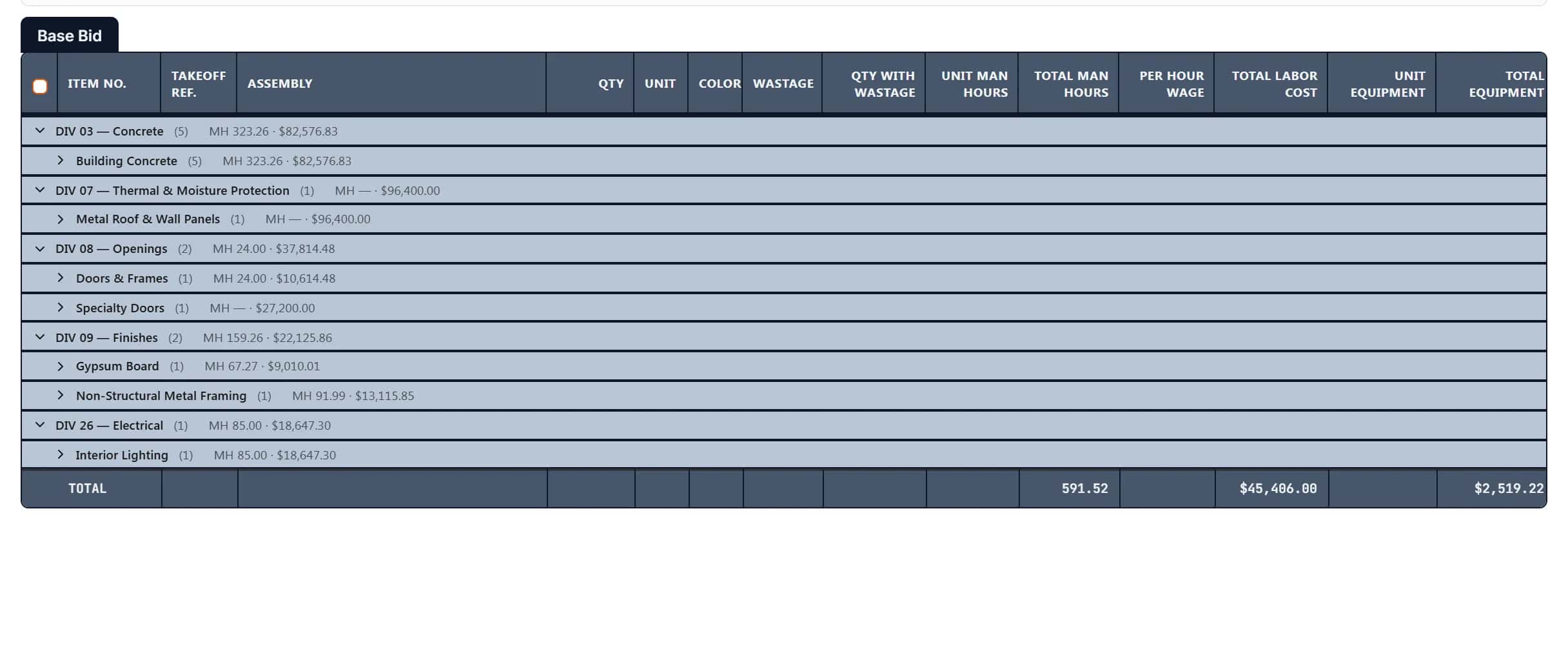
Grouped estimate
Subtotals by division and scope, automatically
Group the estimate by classification and every division and scope gets its own subtotal row with man-hours and cost, folded to the level you want.
- Show levels 1, 2, 3 or all
- The same structure in the Excel export
How it works
- 1
Pick the system
CSI MasterFormat or another system for the project.
- 2
Classify as you measure
Choose division, scope and sub-scope when you name an item.
- 3
Group the estimate
By classification, scope, folder, subcontractor or sheet.
Frequently asked questions
Does IntelCost use CSI MasterFormat divisions?
Yes. CSI MasterFormat is built in with divisions, scopes and sub-scopes. UniFormat, NRM 1, NRM 2 and CESMM are available too.
Can I add my own scopes?
Yes. Add scopes and sub-folders to the tree, or use custom folders instead of a classification.
Can I group the estimate by subcontractor?
Yes. Group by subcontractor, or filter to one subcontractor to see their package.
Can I use UniFormat or NRM instead of MasterFormat?
Yes. Pick the classification system for each project: CSI MasterFormat, UniFormat, NRM 1, NRM 2 or CESMM.
Do earthwork lines get CSI codes too?
Yes. Cut, fill, topsoil and subgrade lines are filed under Division 31, with matching folders in the other systems.
Learn more
Guides for the work behind this feature, useful whatever software you use.
Related features
- TakeoffMeasure lengths, areas and counts on your plans, with every sheet at its own scale.Learn more
- EstimatingPrice every takeoff item with labor, material, equipment and sub quotes, up to the bid total.Learn more
- Excel exportExport the estimate with live formulas, linked quantities and a bid summary sheet.Learn more
- AssembliesSave an item with its sub-items and costs and reuse it on every job.Learn more
Bring your next bid set.
Upload the drawings, set the scale and measure your first item in the same sitting. Your projects live in the cloud, so the whole team opens the same set from any computer.
Start your free trial. No card required.