Excel export
Export takeoff and estimates to Excel, formulas included
When the estimate leaves IntelCost it stays a working spreadsheet. Quantities, costs and markups export with live formulas, so a change in Excel still adds up.
Start your free trial. No card required.
Your choice of output
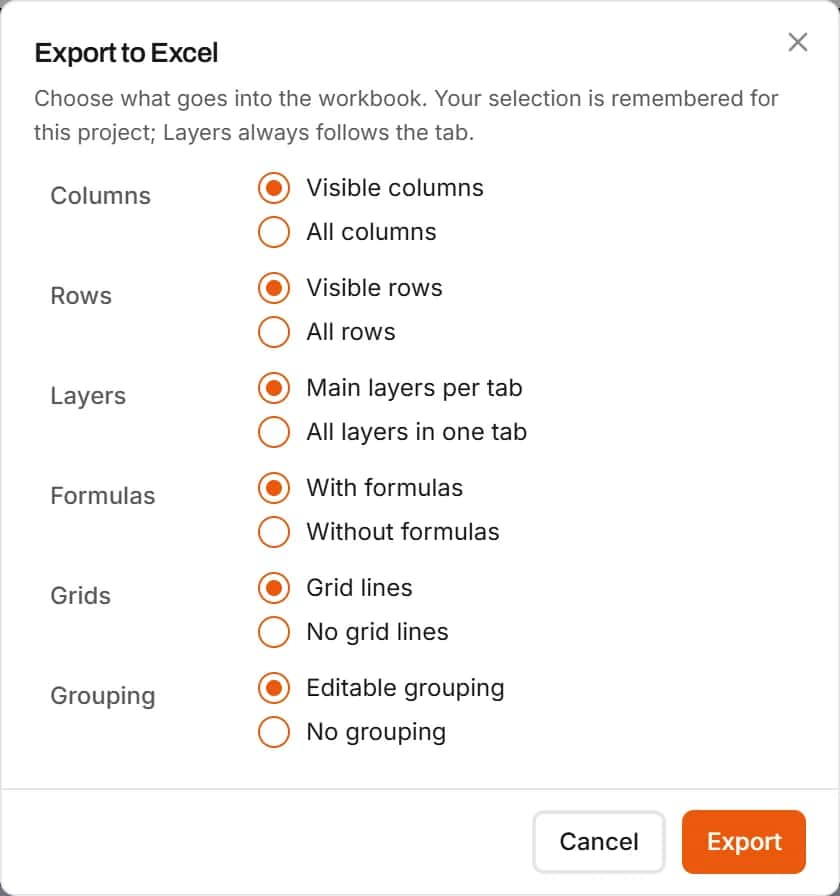
Export exactly what you need
Visible or all columns and rows, one tab per main layer or everything in one, with or without formulas, with grid lines and grouping you can still expand and collapse.
- Any report: full estimate, labor, material, equipment, subcontract or quantities only
- Layers as tabs for base bid and alternates
- Editable grouping in the workbook
Linked quantities
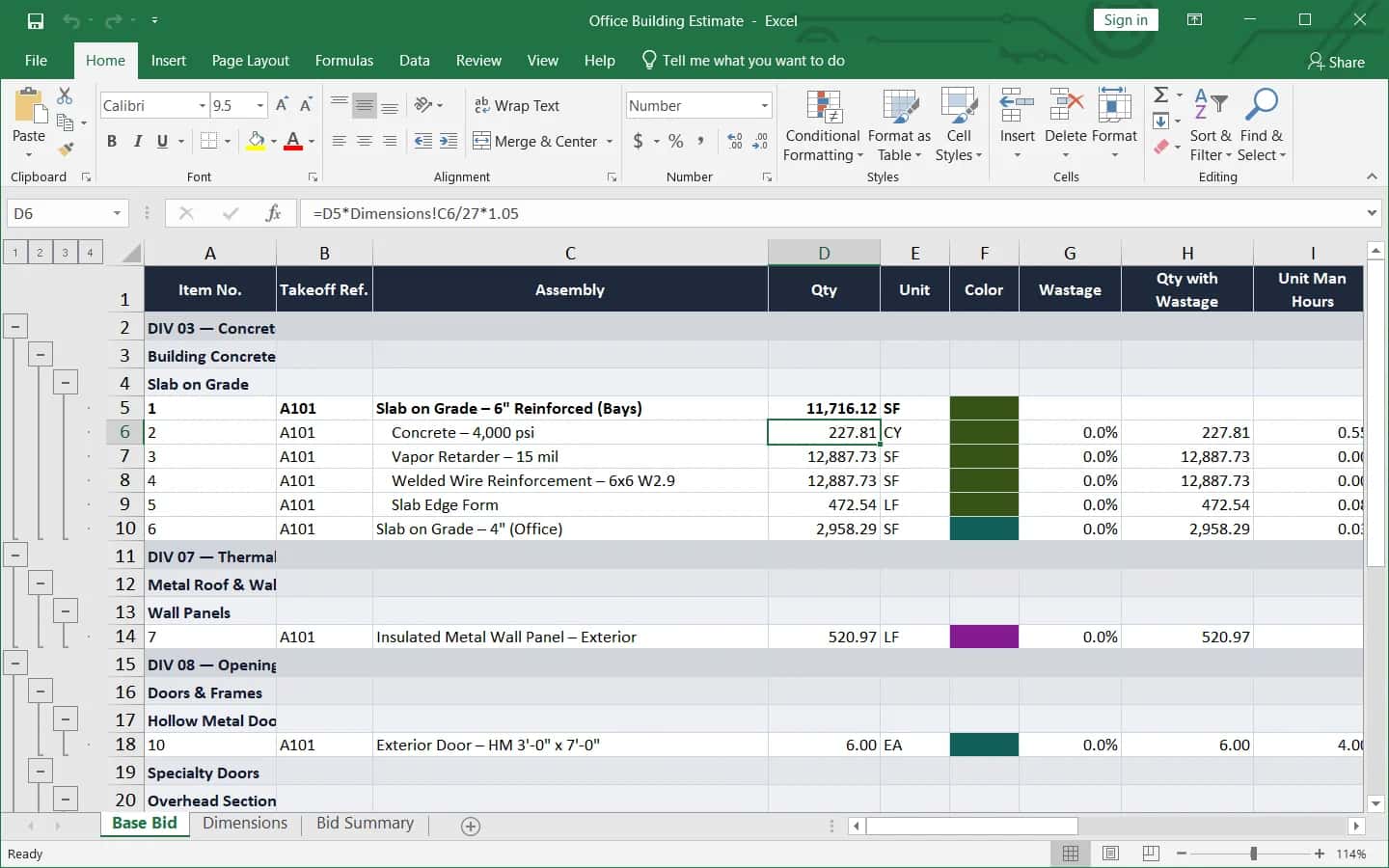
Formulas that still work in the workbook
Sub-item quantities link to their parent line and to a Dimensions sheet that holds the named dimensions, so changing a slab's thickness in Excel updates its concrete. A formula is kept only when Excel's answer matches IntelCost's.
- A Dimensions sheet when items carry named dimensions
- A Bid Summary sheet with the full estimate
Grouping
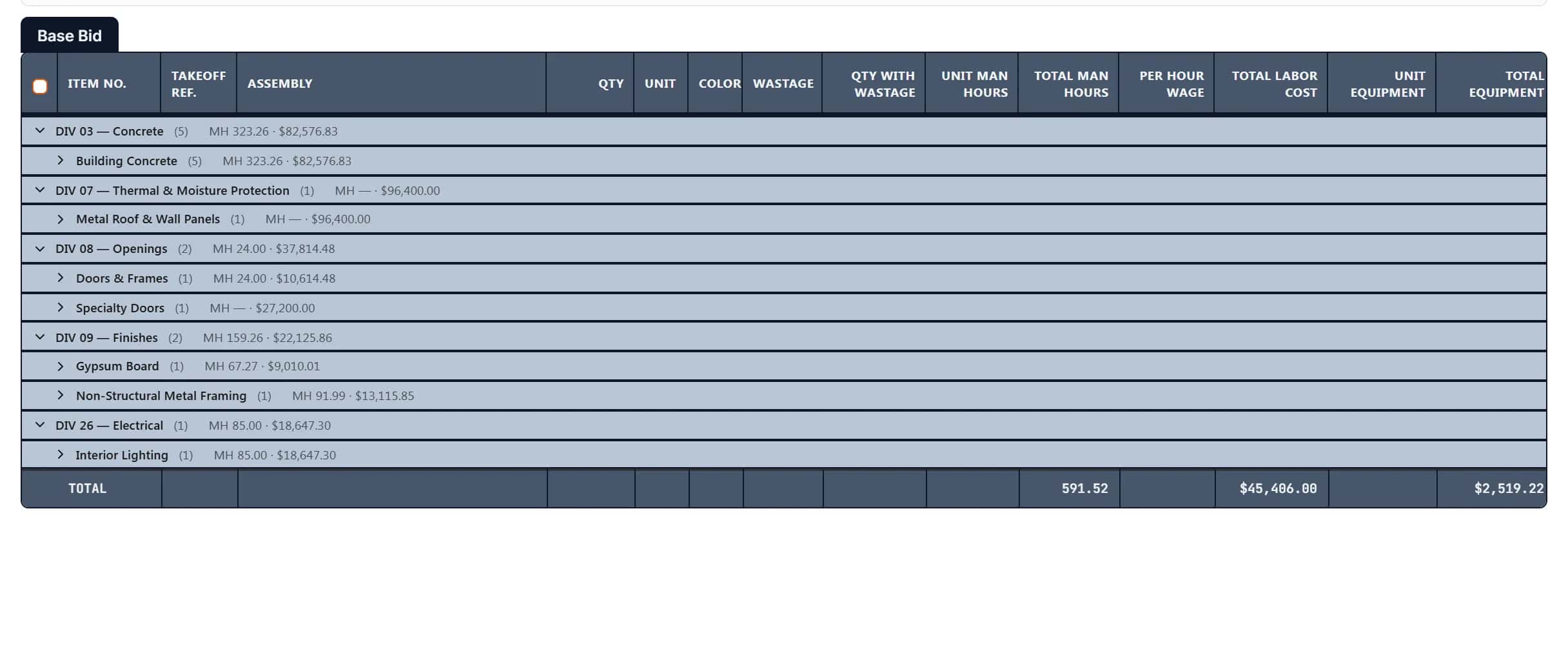
Your divisions and scopes, still foldable in Excel
The workbook keeps the estimate's grouping as Excel outline groups, so whoever opens it can fold to divisions or open every line, the same way you do in IntelCost.
- Division and scope subtotal rows
- Grid lines on or off
How it works
- 1
Pick the report
Full estimate, a cost type, or quantities only.
- 2
Choose the layout
Columns, rows, layers and formulas.
- 3
Export
Open the workbook in Excel and keep working.
Frequently asked questions
Does the Excel export keep formulas?
Yes, when you choose With formulas. Line costs, totals and sub-item quantities export as formulas, linked to their parent lines and to a Dimensions sheet.
Can I export a quantities-only sheet for subcontractors?
Yes. Choose the Quantities only report before you export.
Is the bid summary in the export?
Yes. Exporting the full estimate adds a Bid Summary sheet with tax, overhead, markups, profit, bond and the bid total.
Can I keep base bid and alternates on separate tabs?
Yes. Choose Main layers per tab and each main layer exports to its own sheet, or choose All layers in one tab.
Will the numbers in Excel match IntelCost?
Yes. A formula is written into the workbook only when Excel's answer matches IntelCost's; otherwise the value is written instead.
Learn more
Guides for the work behind this feature, useful whatever software you use.
Related features
- EstimatingPrice every takeoff item with labor, material, equipment and sub quotes, up to the bid total.Learn more
- TakeoffMeasure lengths, areas and counts on your plans, with every sheet at its own scale.Learn more
- ClassificationsFile every item under CSI MasterFormat, UniFormat or NRM as you measure.Learn more
- Wage CalculatorLabor rates for the job's location and wage determination, saved to the project.Learn more
Bring your next bid set.
Upload the drawings, set the scale and measure your first item in the same sitting. Your projects live in the cloud, so the whole team opens the same set from any computer.
Start your free trial. No card required.