Collaboration
Collaborative takeoff for estimating teams
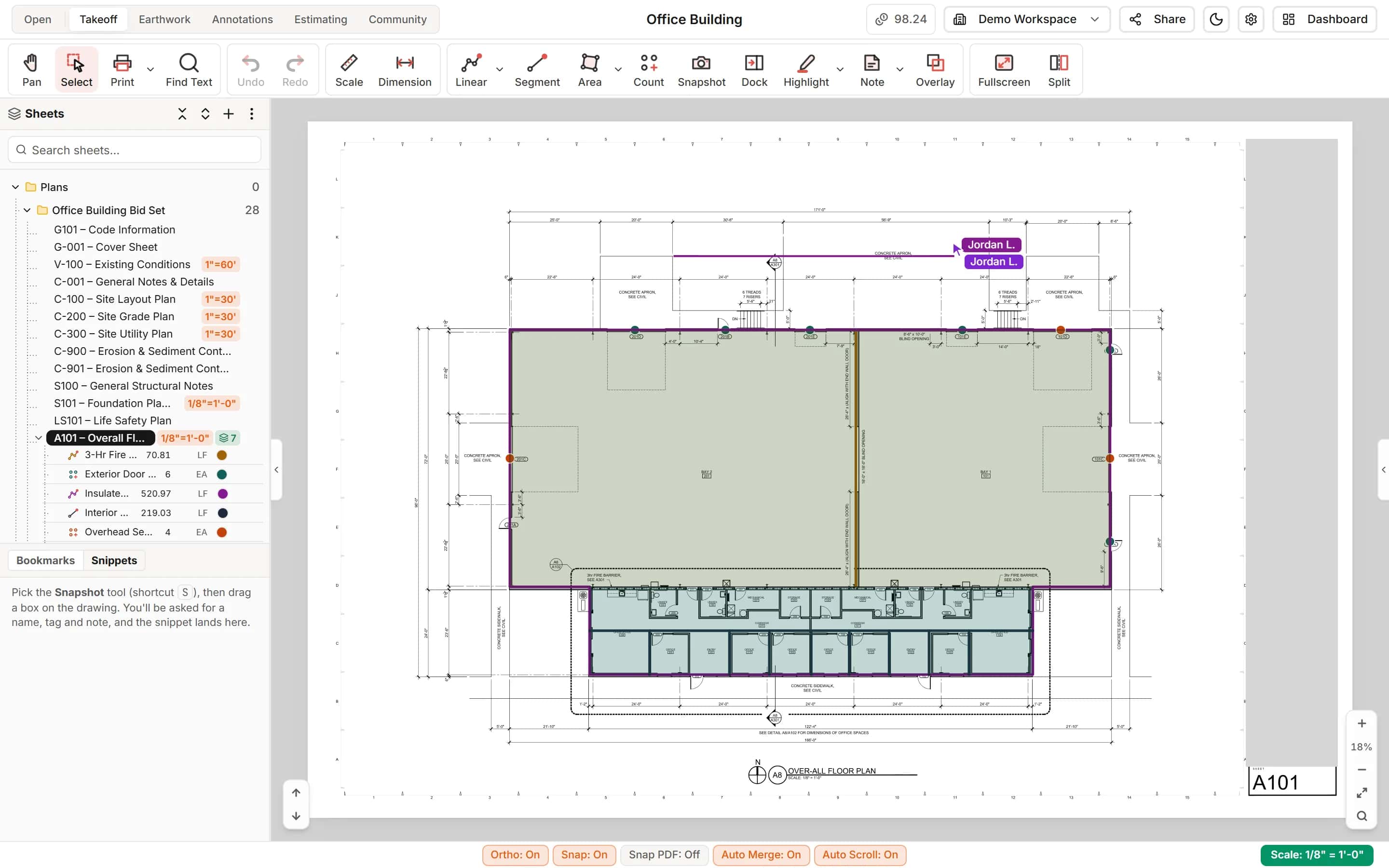
Your projects live in the cloud, so the whole team works the same set at the same time. You see a teammate's cursor and the run they are drawing, changes appear without a reload, and reviewers mark up the drawings without touching the takeoff.
Start your free trial. No card required.
Real time
Two estimators, one sheet, no overwriting
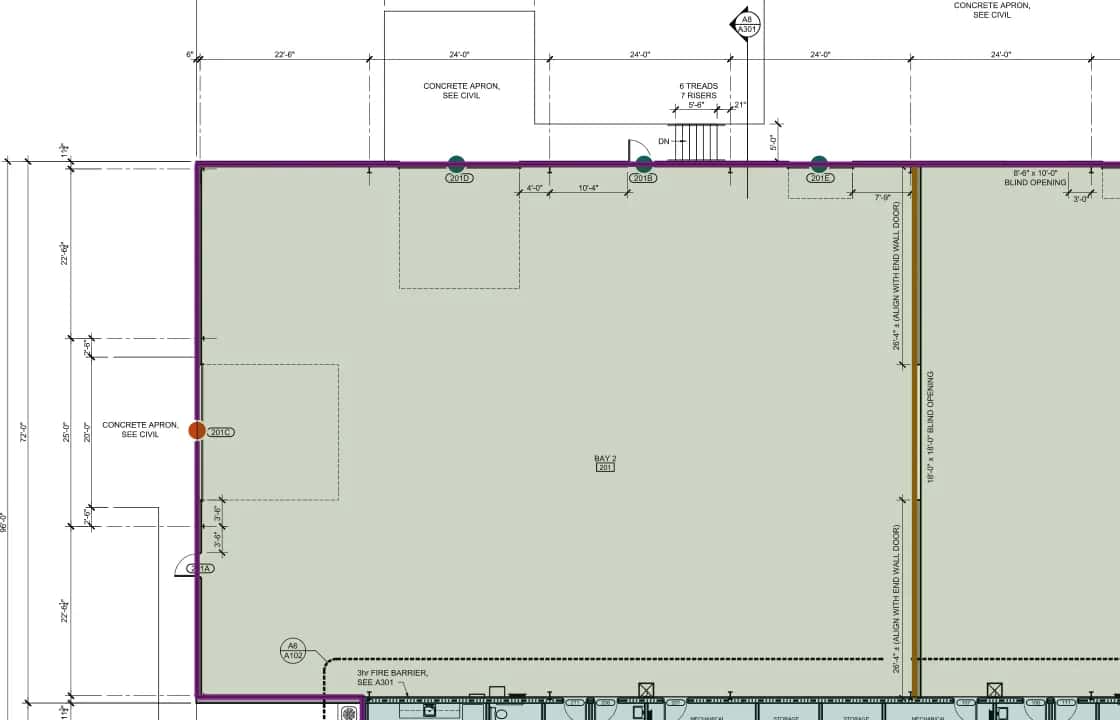
Items, shapes and estimate lines update for everyone as they change. Each teammate's cursor shows with their name, and so does the measurement they are drawing.
- Live cursors and in-progress measurements, with name tags
- An item shows who is working on it
- Choose how teammates' work looks on your screen
Work together, or one at a time
Pick the rule that fits your team
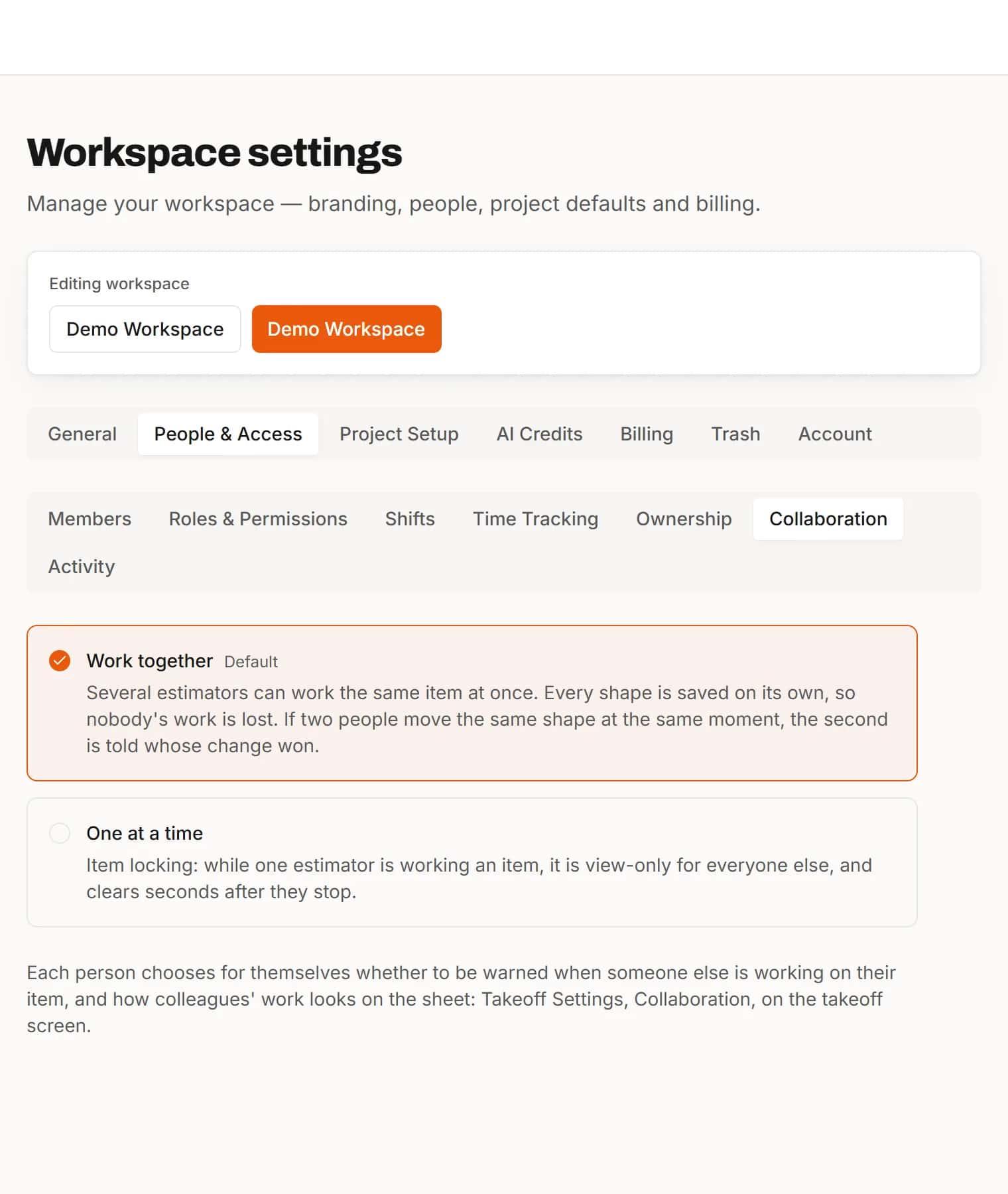
Work together lets everyone edit at once. One at a time locks an item while someone is working on it, and frees it seconds after they stop.
- A workspace setting, changed by the owner
- A personal warning when someone else is on your item
Annotations and comments
Reviewers mark up the set without touching the takeoff
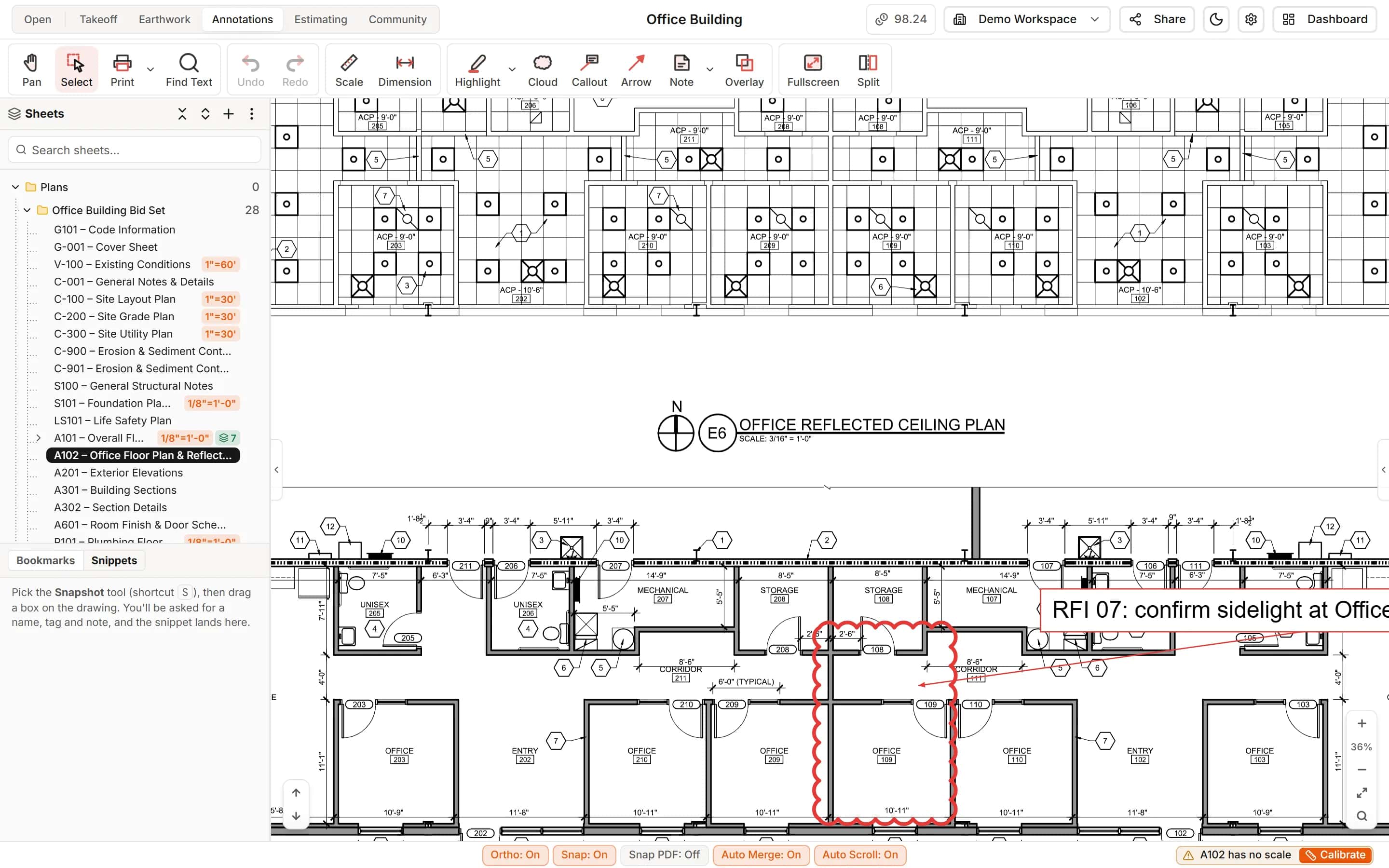
The Essentials plan is for annotations and comments: clouds, callouts, arrows, highlights and notes on any sheet, plus comments, uploads, Find Text and print. Reviewers can read the estimate and the saved labor rates.
- Highlight, Cloud, Callout, Arrow and Note
- Read-only estimating and labor rates
- Roles decide who measures, who prices and who only looks
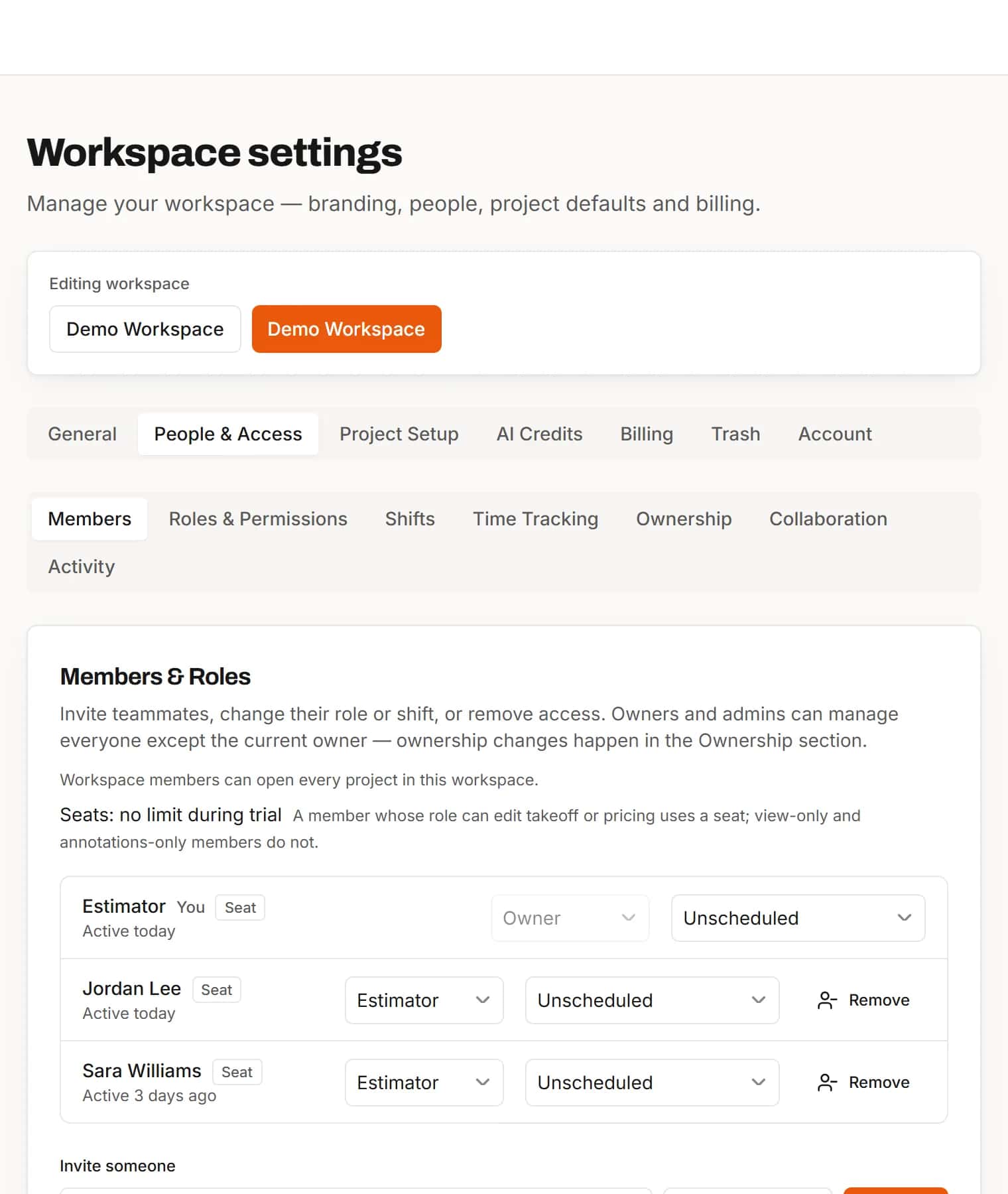
Roles and invitations
The right access for everyone on the bid
Invite people by email and give each a role: Owner, Admin, Estimator, Takeoff, Pricing, QA Takeoff, QA Pricing, Collaborator or Viewer. Seats are counted only for people whose role can edit takeoff or pricing.
- Nine built-in roles
- Invite by email or by link
- Hand the workspace to a new owner when you need to
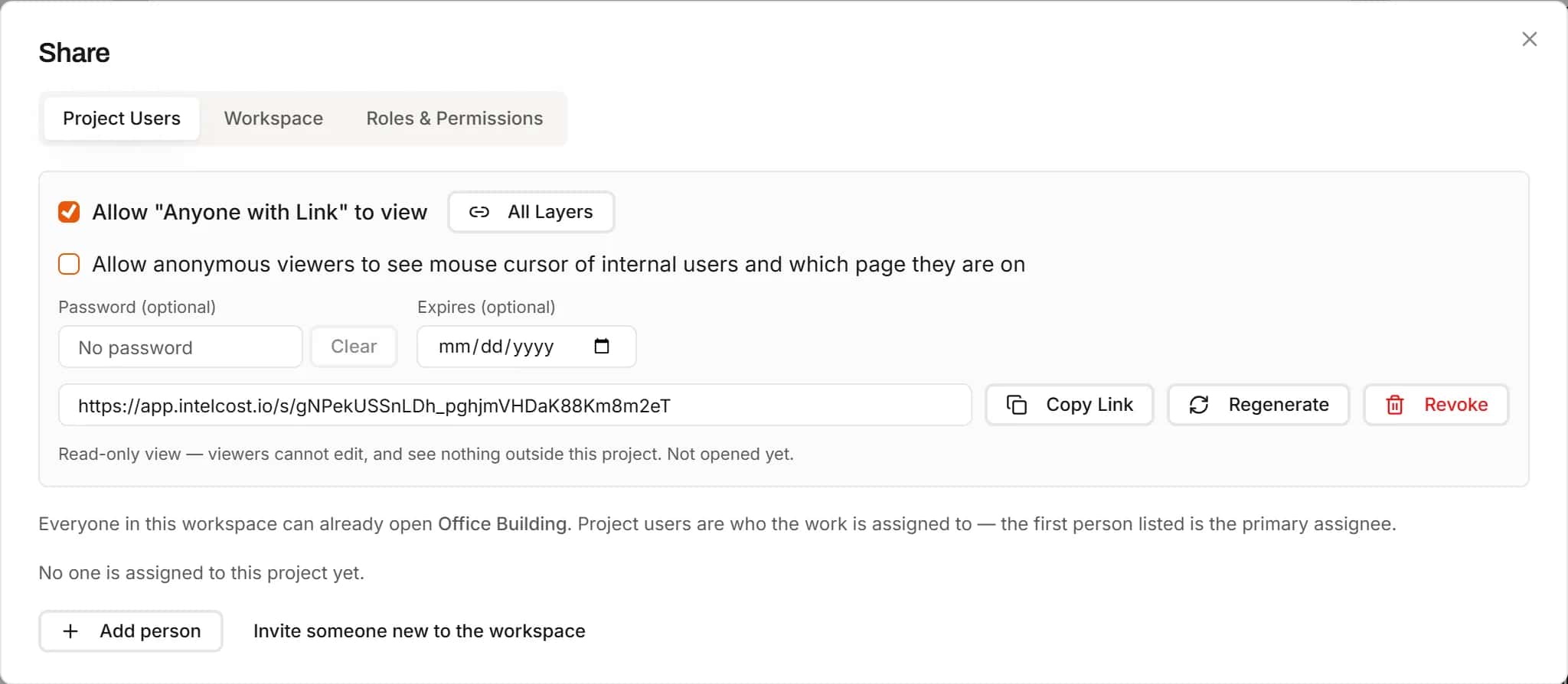
Share links
Show the project to someone outside your team
An owner or admin can turn on a share link for any project. Whoever opens it sees the project read-only, with no account needed. Choose which layers go out, add a password or an expiry date if you want, and copy the link.
- Optional password and expiry date
- Leave layers out and their items are never sent
- Regenerate for a new link, or revoke it, at any time
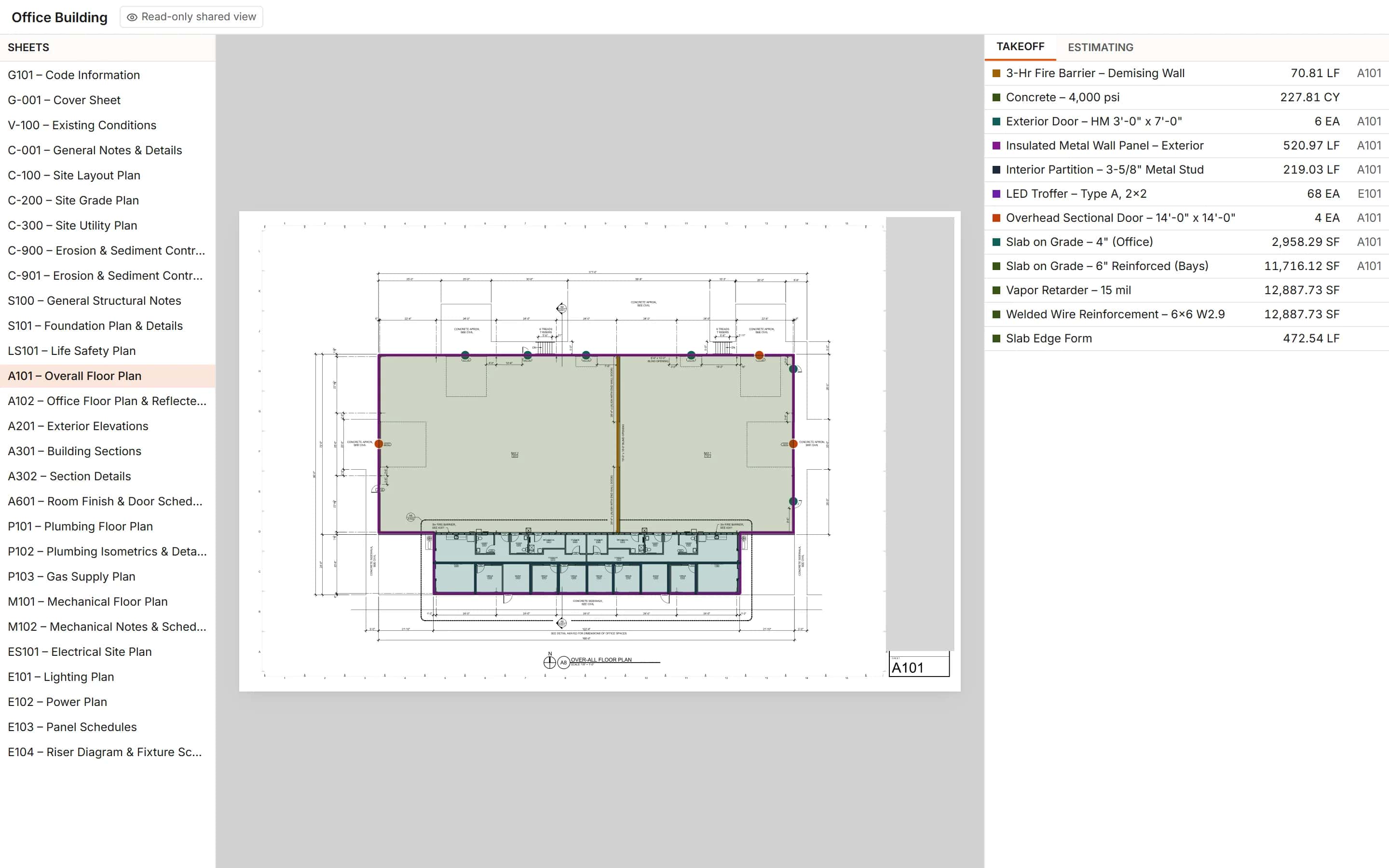
Guest view
What a guest sees, and what they cannot do
A guest gets the sheet list, each sheet with its measurements drawn on it to pan and zoom, the takeoff quantities, and the estimate lines with quantity, waste and item cost. Nothing can be changed from a share link.
- No editing, comments, exports, downloads or printing
- Annotations stay inside your team
- Revoked or expired links stop working straight away
How it works
- 1
Invite the team
Invite people by email and give each a role.
- 2
Open the same project
Everyone works from the cloud copy, on any computer.
- 3
Work at once
See each other's cursors and changes as they happen.
Frequently asked questions
Can two estimators work on the same plan set at once?
Yes. Several people can work the same project and even the same sheet. Changes appear for everyone without a reload, and you see each teammate's cursor and the measurement they are drawing.
How do we stop two people changing the same item?
Switch the workspace to One at a time. While someone works on an item it is view-only for everyone else, and it frees itself seconds after they stop.
Can a reviewer mark up drawings without changing the takeoff?
Yes. Give them a role that annotates without measuring, or put a review-only team on the Essentials plan, which is for annotations and comments. Reviewers add clouds, callouts, arrows, highlights and notes and can read the estimate, but cannot measure or price.
Who can see our projects?
Members of your workspace, according to their roles, and anyone you send a project's share link to, read-only. Each workspace's projects are kept to that workspace, and only owners and admins can turn a share link on.
Do we need to send files back and forth?
No. The project lives in the cloud. Everyone opens the same project, and changes appear for everyone as they happen.
Can I share a project with someone who has no IntelCost account?
Yes. An owner or admin turns on the project's share link in the Share dialog and copies it. Anyone with the link can open the project read-only without signing up. You can add a password and an expiry date.
What can a guest do with a share link?
Look, not touch. A guest can page through the sheets with the takeoff drawn on them, pan and zoom, and read the takeoff quantities and the estimate lines with their item costs. Guests cannot edit, comment, export, download or print, and they do not see annotations or comments.
How do I stop sharing a project?
Untick Anyone with Link or press Revoke, and the link stops working at once: whoever opens it is told it is no longer available. Regenerate gives you a new link and ends the old one. A link with an expiry date stops working after that day.
Can I share only part of a project?
You can leave layers out: items on layers you untick are never sent to the guest. Otherwise a share link always opens the whole project, never a single sheet.
Related features
- TakeoffMeasure lengths, areas and counts on your plans, with every sheet at its own scale.Learn more
- EstimatingPrice every takeoff item with labor, material, equipment and sub quotes, up to the bid total.Learn more
- ClassificationsFile every item under CSI MasterFormat, UniFormat or NRM as you measure.Learn more
- Excel exportExport the estimate with live formulas, linked quantities and a bid summary sheet.Learn more
Bring your next bid set.
Upload the drawings, set the scale and measure your first item in the same sitting. Your projects live in the cloud, so the whole team opens the same set from any computer.
Start your free trial. No card required.