Estimating
Online construction estimating software that stays in step with your takeoff
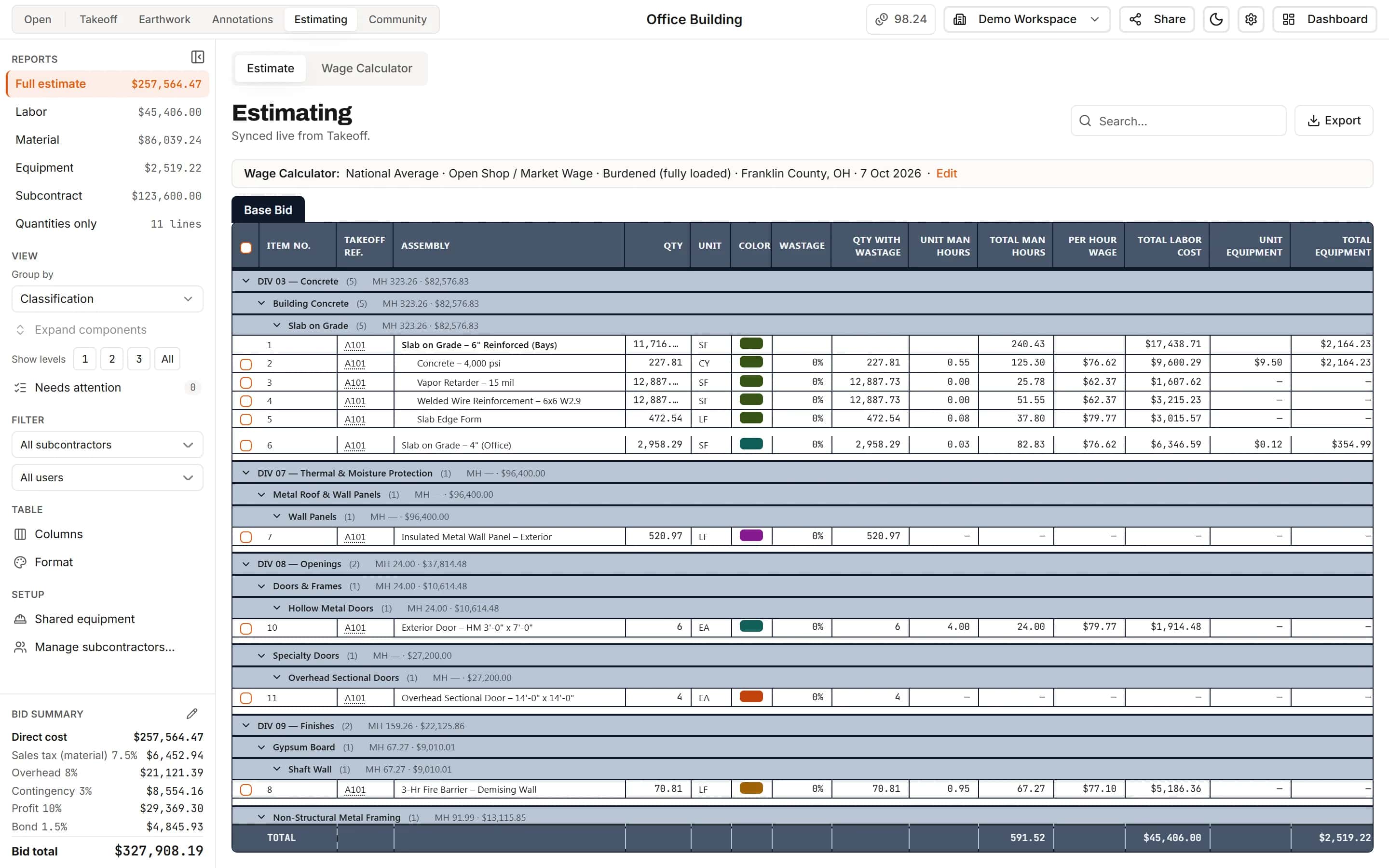
Every measured item is already a line in the estimate. Add labor, material, equipment and sub quotes, set your markups, and the bid total is right there. Change a measurement and the price follows.
Start your free trial. No card required.
Labor, material, equipment, subcontract
Price the quantities you measured, not a copy of them
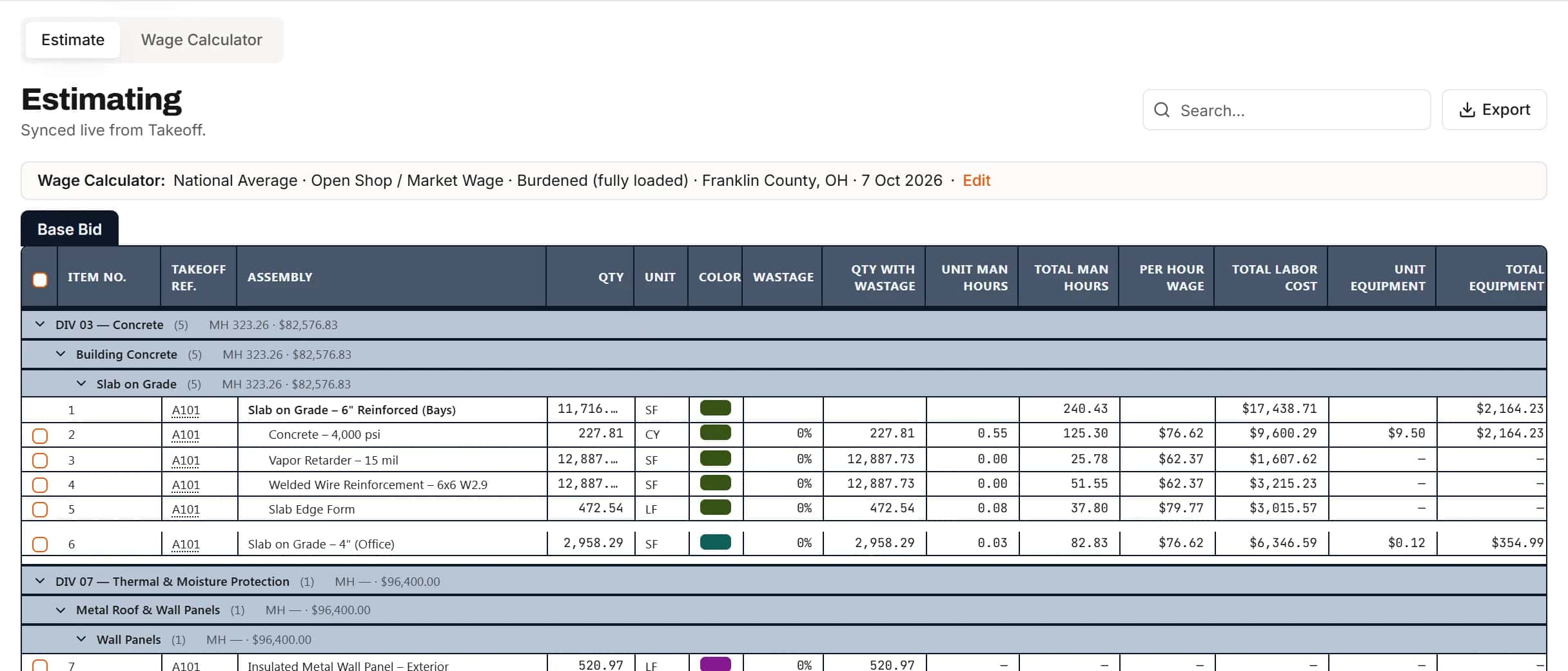
The Estimating tab is synced live from takeoff. Type unit man-hours and a wage, a unit material cost, equipment or a sub quote, and every line works out its own cost.
- Wastage, multipliers and quantities with waste
- Cost components for labor, material, equipment and subcontract parts of a unit price
- Crews on labor that use the project's saved wage rates
- Set values on many lines at once
Bid summary
From direct cost to bid total, in the same place
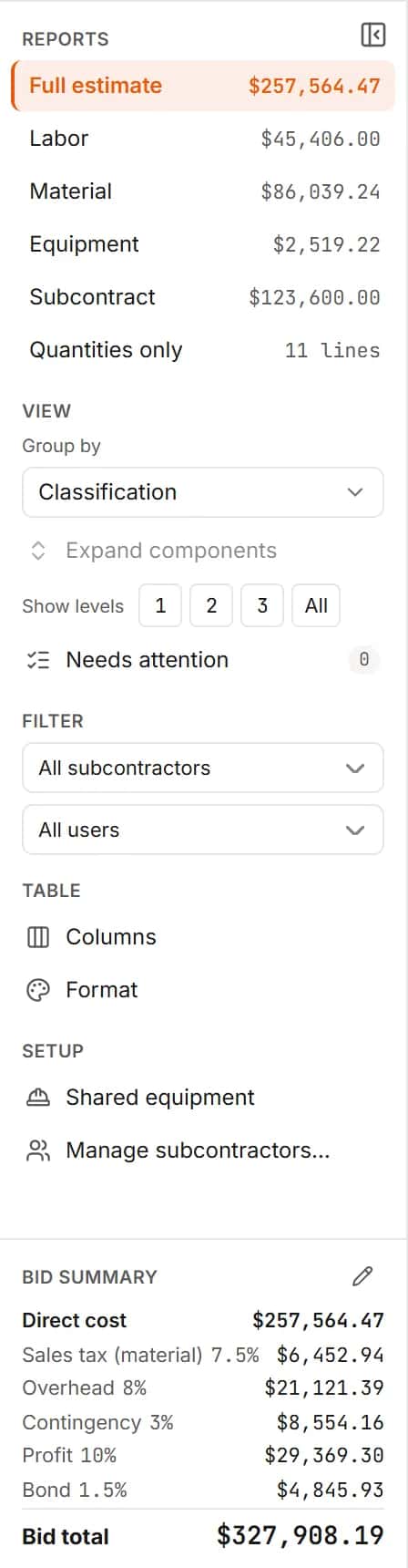
Sales tax on material, overhead, contingency or escalation, profit and bond, each taken on the running subtotal, with your workspace defaults filled in for every new project.
- Reports for the full estimate, labor, material, equipment, subcontract or quantities only
- Needs attention flags lines with no rate, no quantity or a sheet with no scale
- Workspace defaults for tax and markups, changed per project when a job needs it
Auditable quantities
Click any quantity to see where it came from
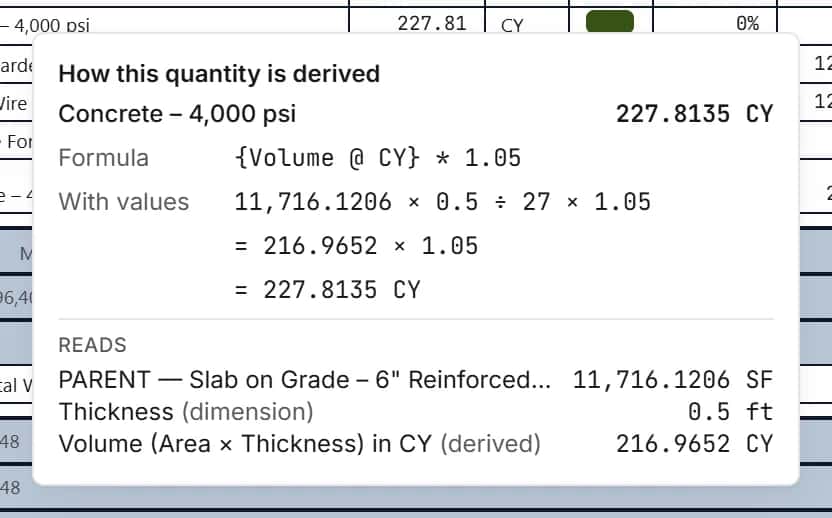
How this quantity is derived shows the formula, the values it used and the shapes it read, sheet by sheet. A reviewer can check a number without opening the drawing.
- Formulas shown with their values
- The measured shapes and deducts behind each line
- Change history on every line, with undo and redo
Group and filter
See the estimate the way you bid it
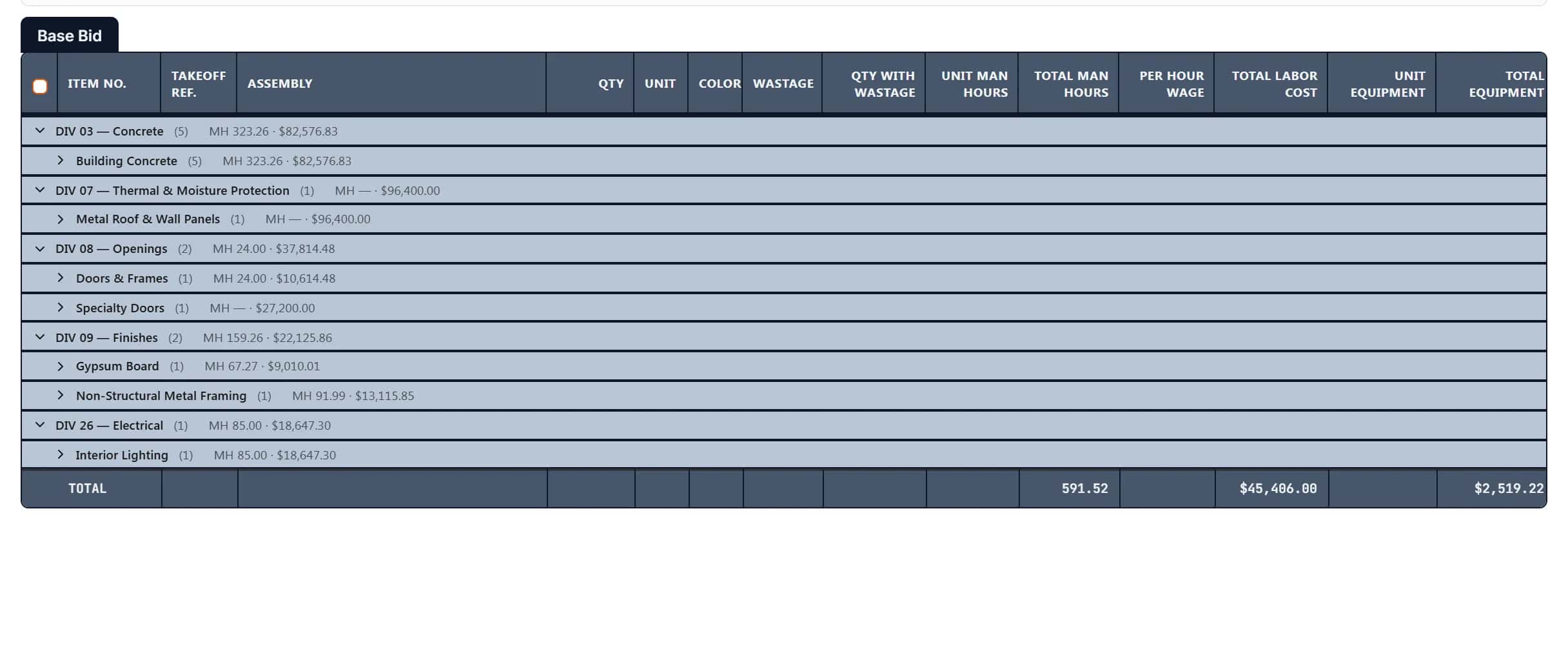
Group lines by classification, your own folders, scope, subcontractor or sheet. Filter by sub or by who measured it, and fold the grid to the level you want.
- Layer tabs for base bid and alternates
- Custom columns and comments on lines
- Your own formatting, saved for the whole workspace
Cost components and crews
Build a unit price the way you think about the work
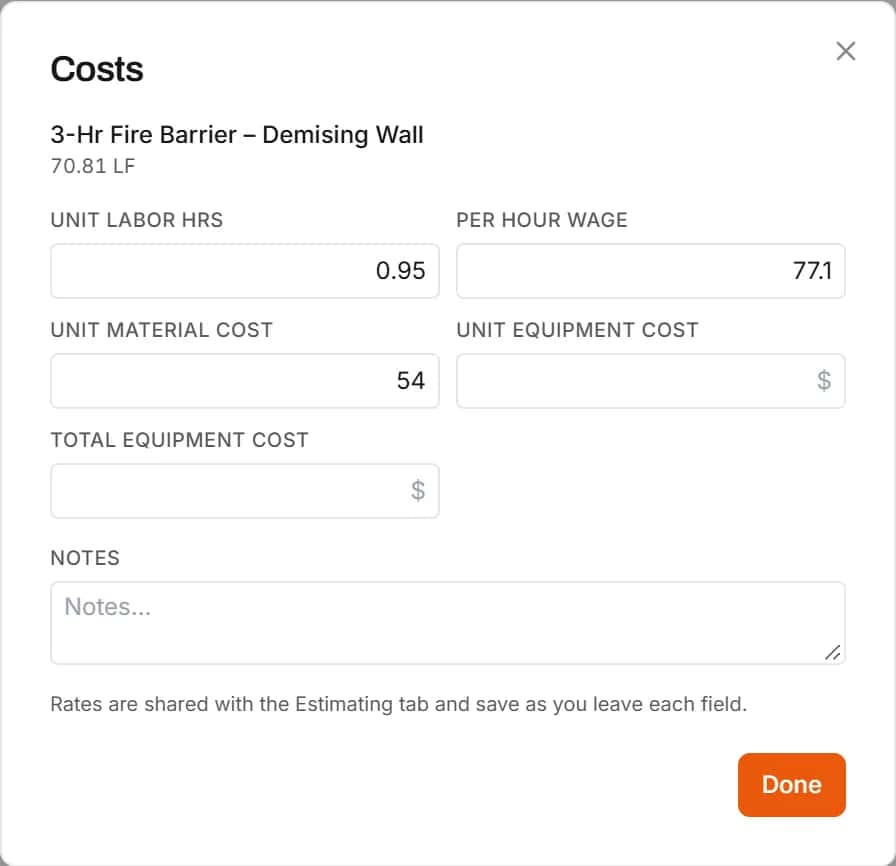
Break an item into labor, material, equipment and subcontract parts, each with its own quantity formula and production rate. Put a crew on the labor and it uses the rates saved for this project.
- Production rates, lump sums, quotes and mobilization
- Crews suggested for the item's classification
- Shared equipment spread across items by hours, quantity or a percentage
Needs attention
Catch the holes before the bid goes out
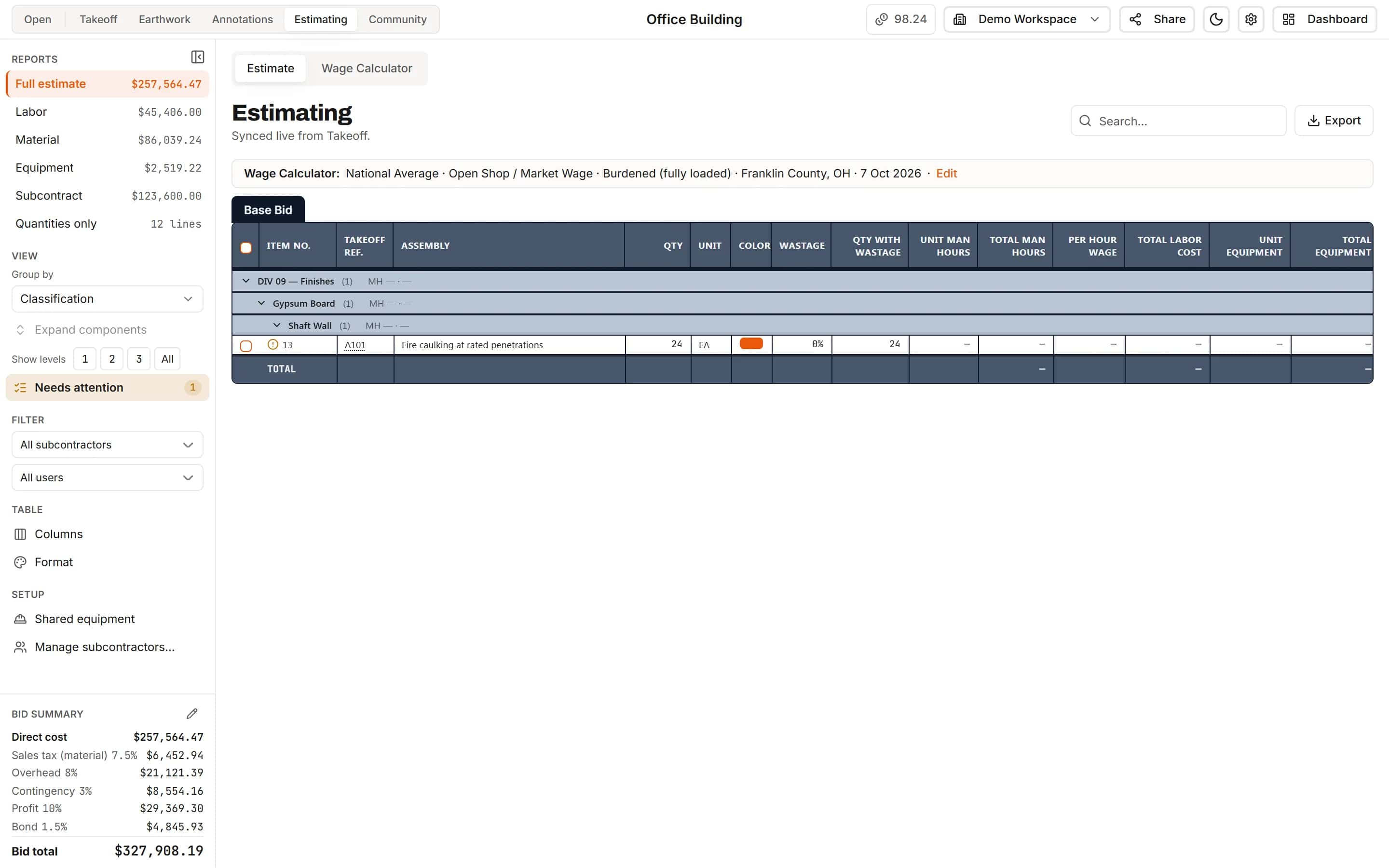
Needs attention lists every line with no rate, no quantity, a subcontract cost with no sub named, or a quantity on a sheet with no scale. Fix them from the list and watch the count go to zero.
- A count badge in the sidebar
- Every flagged line listed in one place
Reports
The report each reader needs
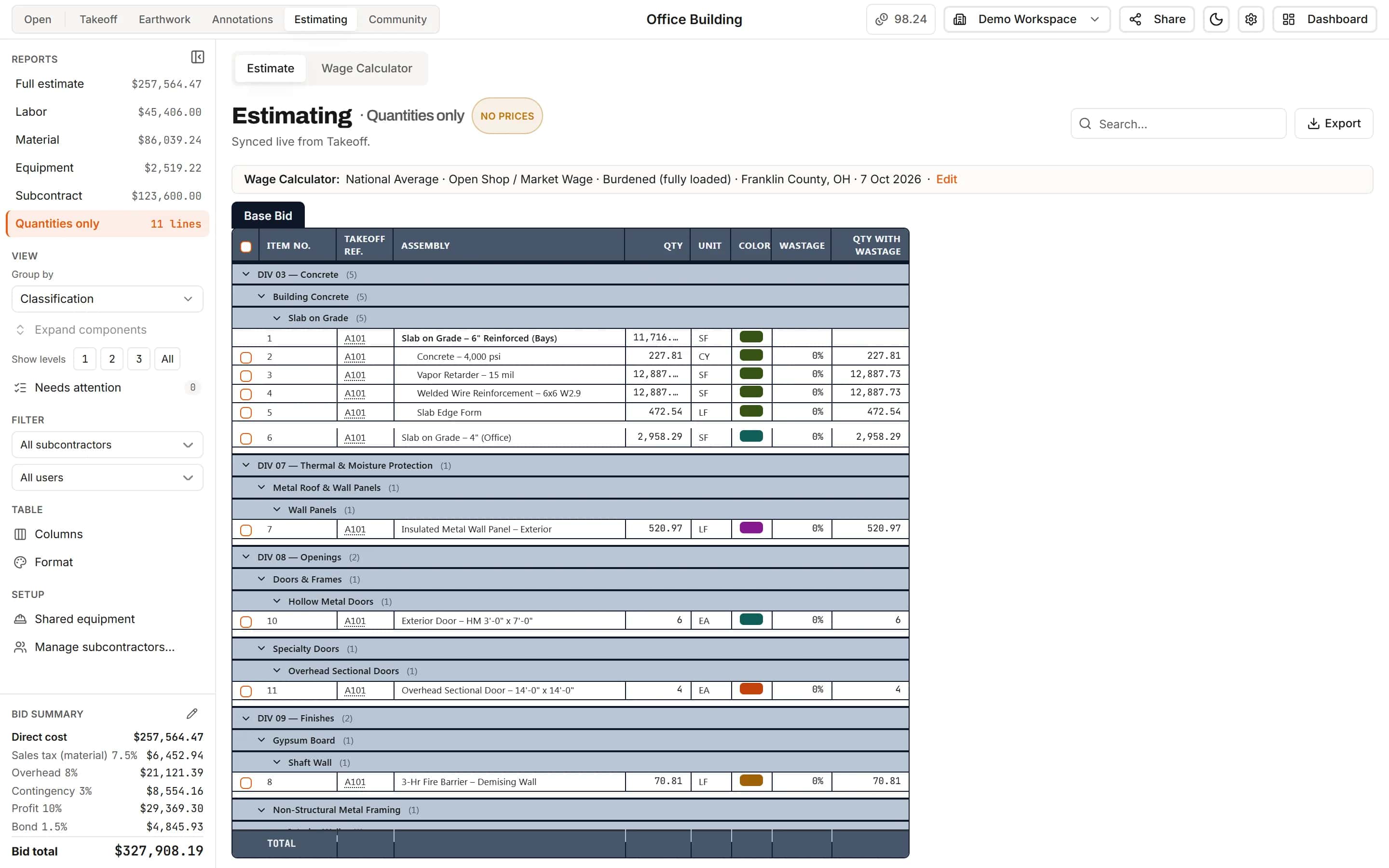
Switch between the full estimate, labor, material, equipment, subcontract or quantities only. Each shows its own total, filters by subcontractor or by who entered it, and exports to Excel.
- Quantities only for sub bidders
- Partial reports marked as partial in the workbook
- Group by division, scope, subcontractor or sheet
Takeoff progress
See how far every bid has got
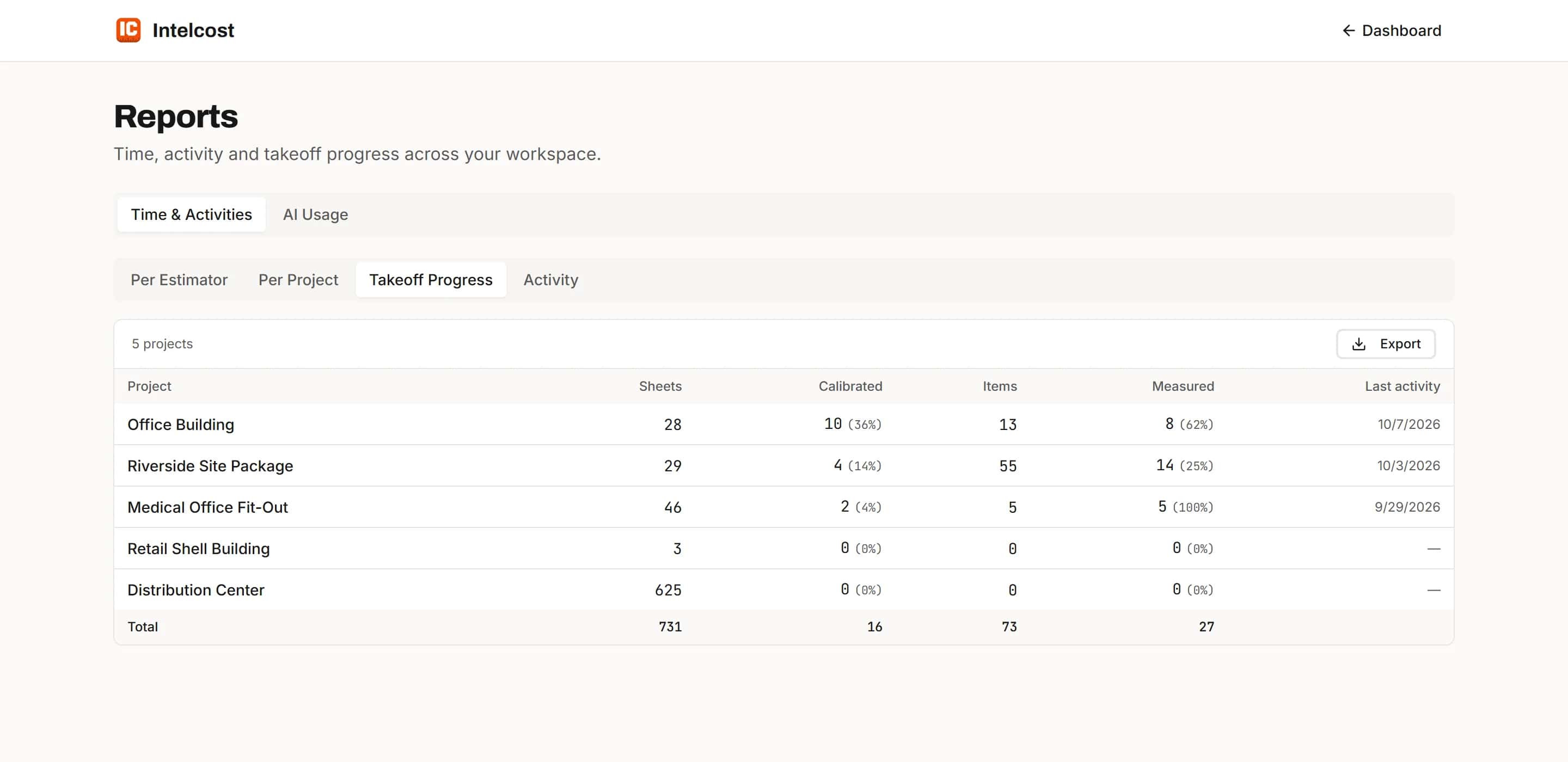
The Takeoff Progress report lists each project with its sheets, how many are calibrated, its items, how many are measured and when it was last worked on, with a total at the foot. Export it to Excel to send round the office.
- Every project in the workspace on one page
- Calibrated and measured counts, exported as percentages
How it works
- 1
Measure
Takeoff items appear as estimate lines the moment you draw them.
- 2
Price
Add labor, material, equipment and sub quotes, or use the project's saved crew rates.
- 3
Mark up and export
Set tax, overhead, profit and bond, then export the estimate to Excel.
Frequently asked questions
Do I have to retype quantities from my takeoff into the estimate?
No. The Estimating tab reads the takeoff live. Every item and sub-item is a line, and a change to a measurement changes its line.
Can I add overhead, profit and bond to get a bid total?
Yes. The bid summary takes sales tax on material first, then overhead, any extra markups such as contingency, profit, and bond (the performance and payment bond premium) on the full price last, ending in the bid total.
Can I send subcontractors a quantities-only sheet?
Yes. The Quantities only report shows every line without prices, and it exports to Excel like any other report.
Can I see how a quantity was calculated?
Yes. Click the Qty cell of any line to see the formula, its values and the shapes it read on each sheet.
Can I price labor with crews instead of one wage?
Yes. Add a labor cost component and put a crew on it. The crew uses the rates saved for the project in the Wage Calculator, and you can change any rate.
Can I set default markups for every project?
Yes. Set sales tax, overhead, extra markups, profit and bond as workspace defaults. New projects use them until you give a project its own.
What reports does IntelCost have?
Six estimate reports: full estimate, labor, material, equipment, subcontract and quantities only, each with its total and each exportable to Excel. A Takeoff Progress report across all your projects. And printed sheets with the takeoff drawn on them, to paper or PDF.
Learn more
Guides for the work behind this feature, useful whatever software you use.
Related features
- TakeoffMeasure lengths, areas and counts on your plans, with every sheet at its own scale.Learn more
- Excel exportExport the estimate with live formulas, linked quantities and a bid summary sheet.Learn more
- Wage CalculatorLabor rates for the job's location and wage determination, saved to the project.Learn more
- ClassificationsFile every item under CSI MasterFormat, UniFormat or NRM as you measure.Learn more
Bring your next bid set.
Upload the drawings, set the scale and measure your first item in the same sitting. Your projects live in the cloud, so the whole team opens the same set from any computer.
Start your free trial. No card required.