For estimating firms
Takeoff software for estimating firms and services
When several estimators share the work, the takeoff has to live in one place. Split a set between people, review each other's quantities, and hand the client a clean Excel workbook.
Start your free trial. No card required.
Teamwork
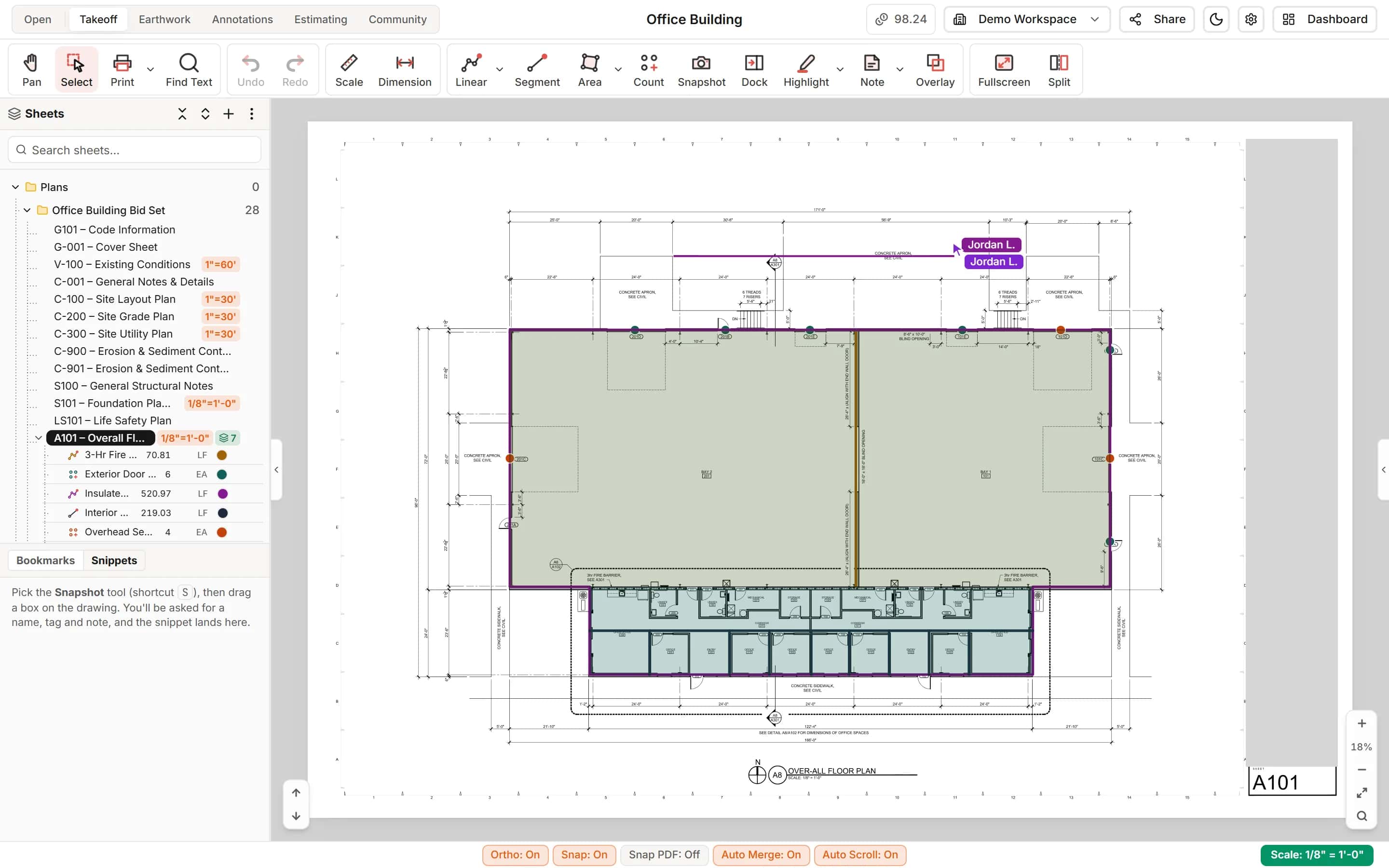
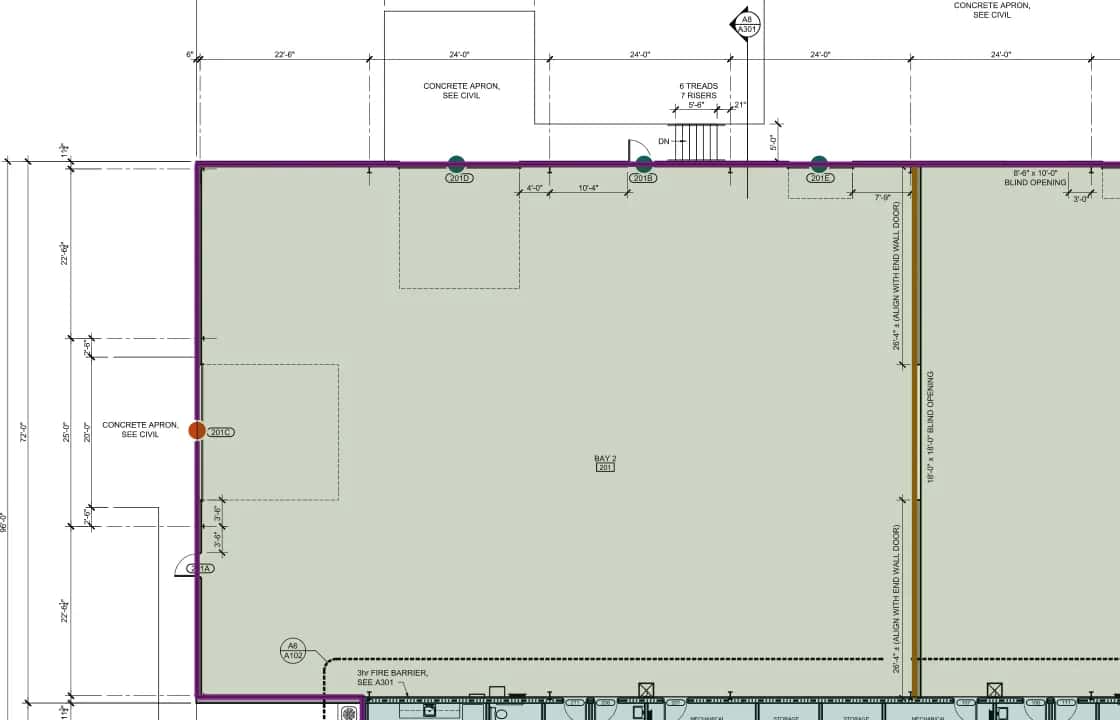
Split a set between estimators
Everyone works the same project at once, with live cursors and changes. Switch to One at a time when you want items locked while someone works on them.
- Roles for takeoff, pricing, QA and viewing
- Invite people by email
Review
Check quantities without opening every sheet
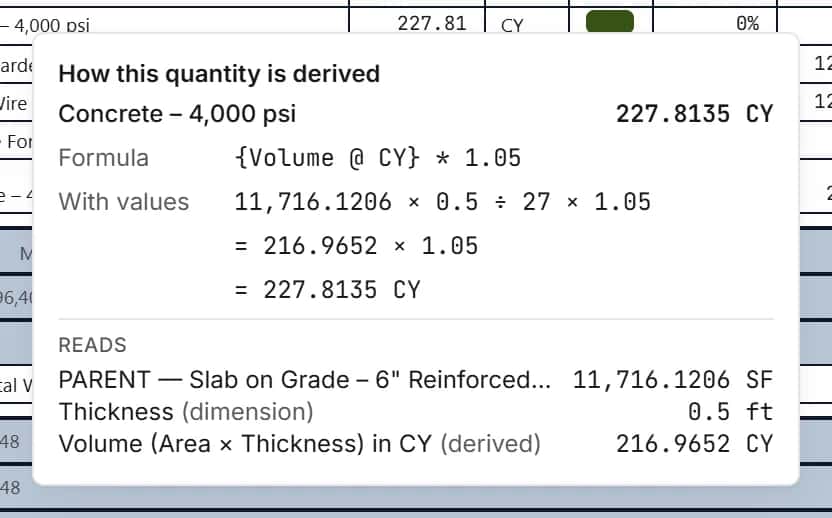
Click any quantity to see how it was derived. Reviewers can have a role that annotates and comments without measuring or pricing.
- How this quantity is derived on every line
- Needs attention before anything goes out
Deliver
A workbook your client can use
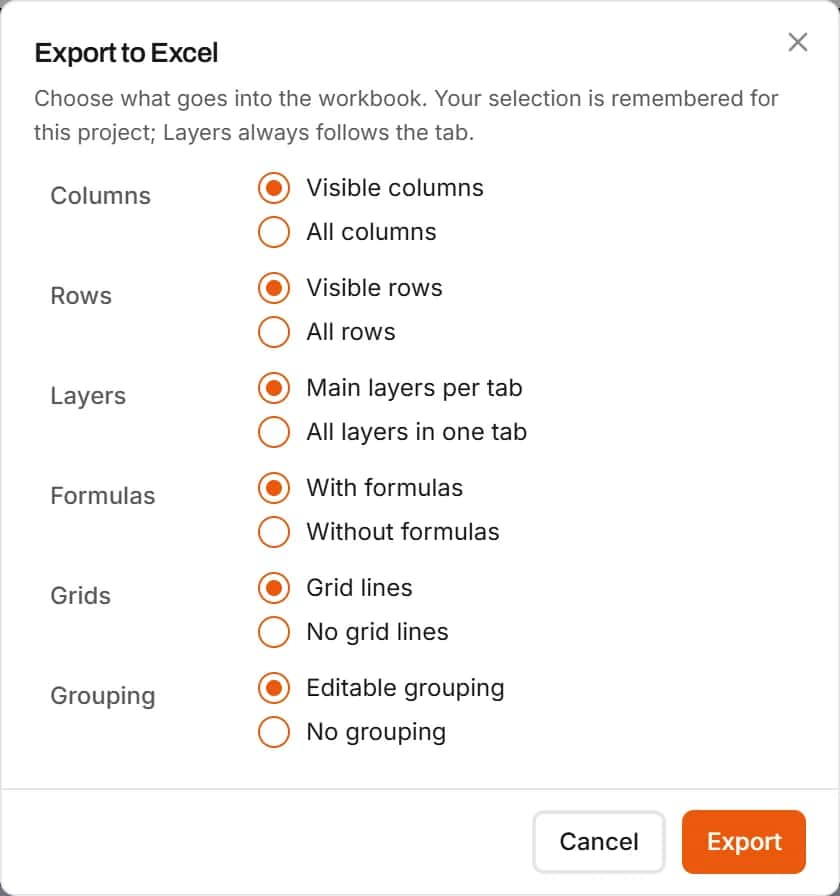
Export the estimate to Excel with live formulas, one tab per layer and the bid summary, or quantities only. Or send the client a read-only share link to the project itself, with a password and expiry date if you want.
- Linked quantities and a Dimensions sheet
- Format themes for a consistent look
- Share links your clients open without an account
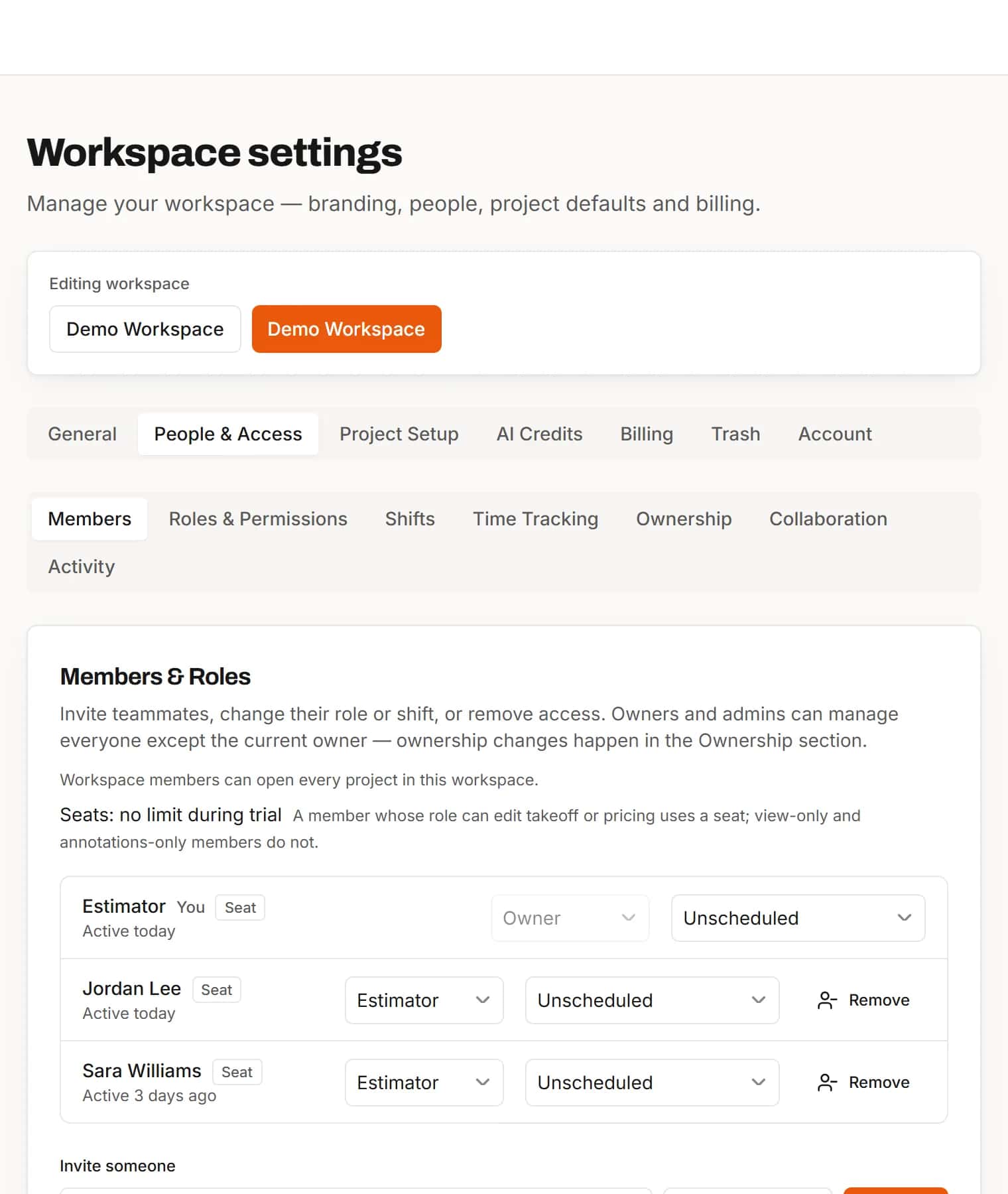
Roles
Give each person exactly the access they need
Takeoff, Pricing, QA Takeoff, QA Pricing, Collaborator and Viewer roles sit alongside Owner, Admin and Estimator. Seats are counted only for people who edit takeoff or pricing.
- Nine built-in roles
- Invite by email or by link
How it works
- 1
Share the project
Invite estimators and reviewers with the right roles.
- 2
Take off together
Split the sheets and work at the same time.
- 3
Review and deliver
Check the quantities and export the workbook.
Frequently asked questions
Can several estimators work on one project at the same time?
Yes. Changes appear for everyone live, and each person's cursor and in-progress measurement shows on the sheet.
Do reviewers use a paid seat?
Seats are counted for members whose role can edit takeoff or pricing. A reviewer whose role only views, annotates and comments does not use one.
Can we keep each client's projects separate?
Yes. Every project has its own files, takeoff and estimate, the dashboard filters projects by client, and each project lists the people assigned to it.
Can we check how another estimator got a quantity?
Yes. Click any quantity in the estimate to see its formula, its values and the shapes it read on each sheet.
Can a client look at the takeoff without an IntelCost account?
Yes. Turn on the project's share link and send it. The client sees the sheets with the takeoff, the quantities and the estimate lines read-only, and cannot edit, export or print. Leave out layers they should not see, and revoke the link at any time.
Can we see how far each project has got?
Yes. The Takeoff Progress report lists every project with its sheets, calibrated sheets, items, measured items and last activity, and exports to Excel.
Features for this work
- CollaborationYour whole team on the same project in real time, with annotations and comments for reviewers.Learn more
- Excel exportExport the estimate with live formulas, linked quantities and a bid summary sheet.Learn more
- EstimatingPrice every takeoff item with labor, material, equipment and sub quotes, up to the bid total.Learn more
- TakeoffMeasure lengths, areas and counts on your plans, with every sheet at its own scale.Learn more
Bring your next bid set.
Upload the drawings, set the scale and measure your first item in the same sitting. Your projects live in the cloud, so the whole team opens the same set from any computer.
Start your free trial. No card required.