Auto Count
Auto count takeoff: box one fixture and find the rest
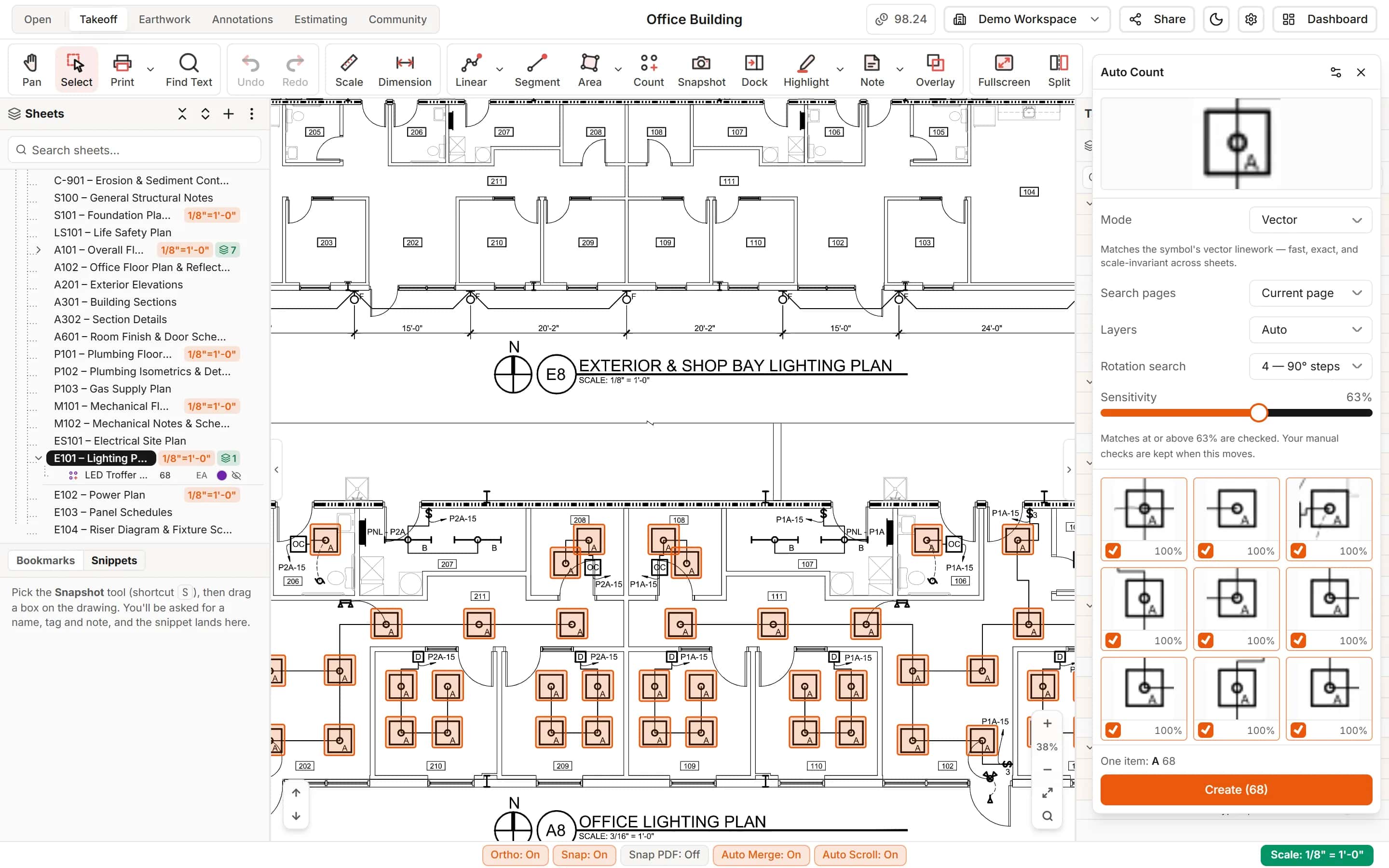
Draw a box around one light fixture, receptacle or device. Auto Count finds every match on the page or across the set, shows you each one to check, and creates the count when you say so.
Start your free trial. No card required.
Find every match
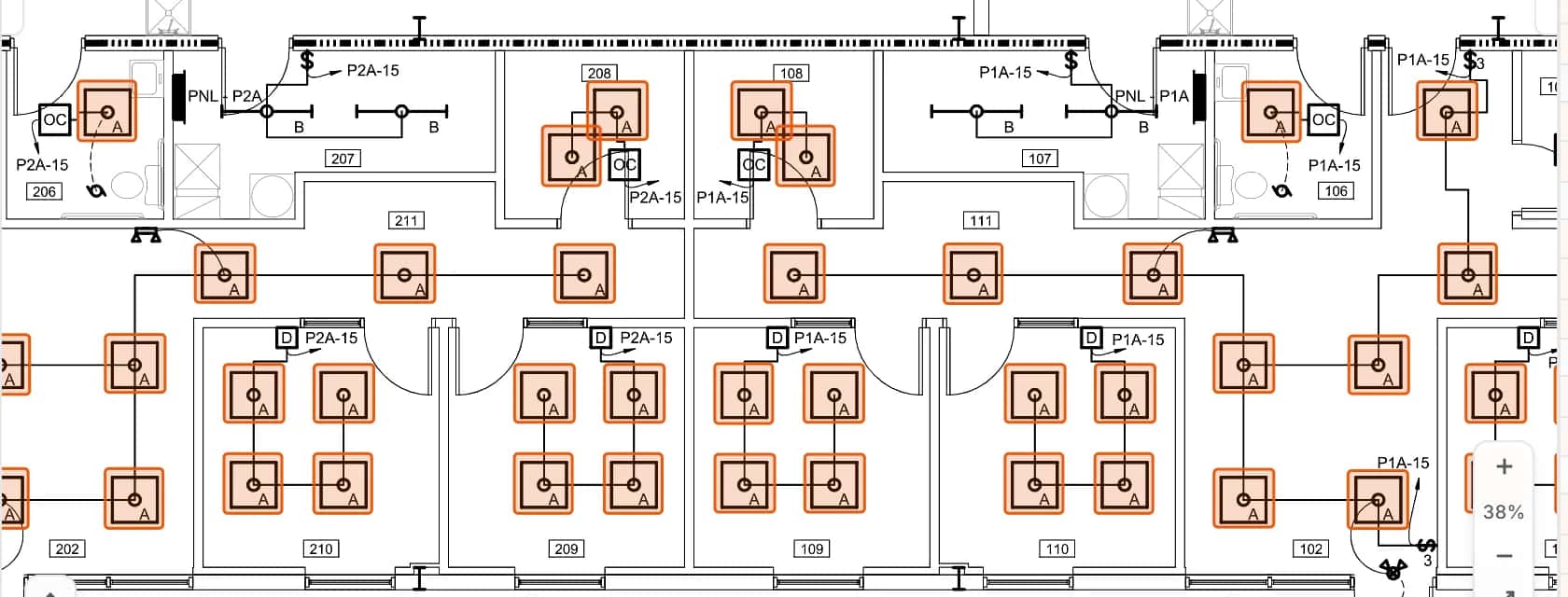
One symbol in, every copy found
Auto Count reads the drawing's own linework, so it finds the symbol wherever it is drawn. Search the current page, every page, or the sheets you choose.
- Rotation search finds copies turned in 90 degree steps
- Include Mirror finds fixtures drawn on opposite walls
- Image mode for scanned sheets, with rotation in 45 degree steps
You stay in control
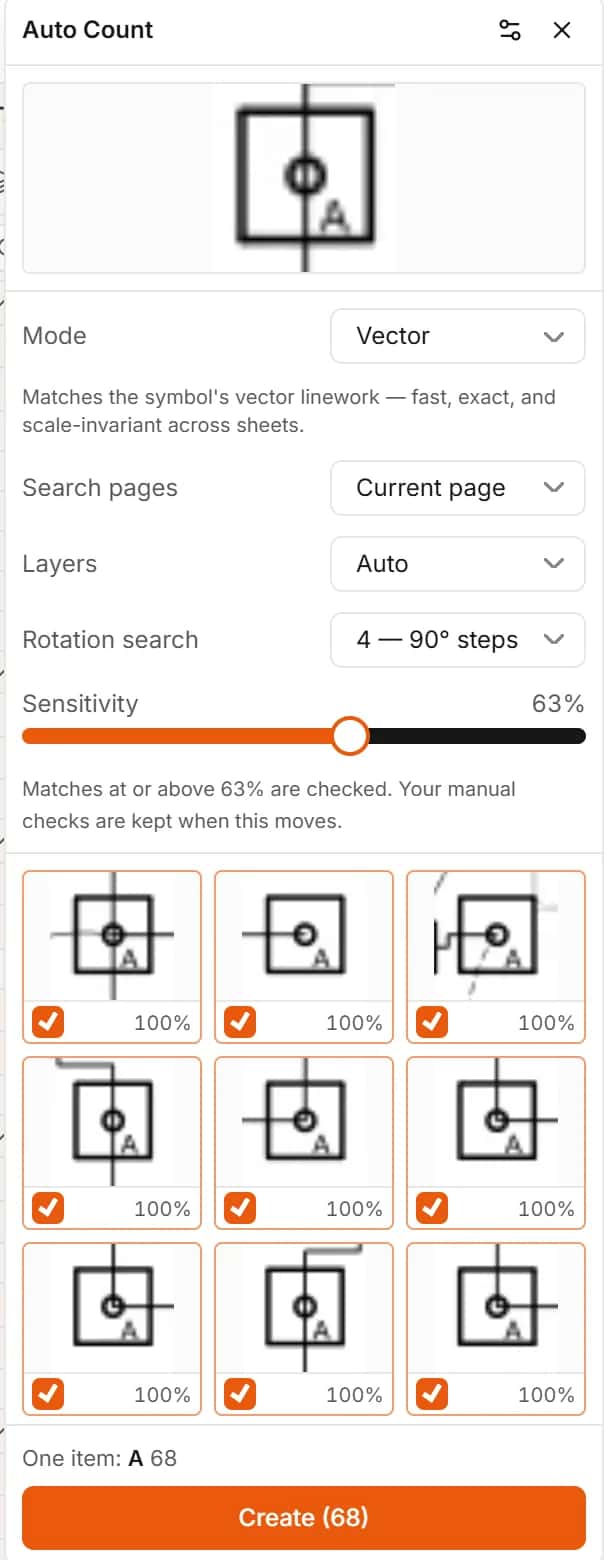
Check the matches before anything is counted
Every match appears as a card. Matches above the sensitivity you set are checked for you, and you can check or uncheck any card. Nothing is created until you press Create.
- A sensitivity bar that keeps your manual checks when it moves
- Low-confidence matches shown on request
- Create a new count item, or add to the one you selected
Tags
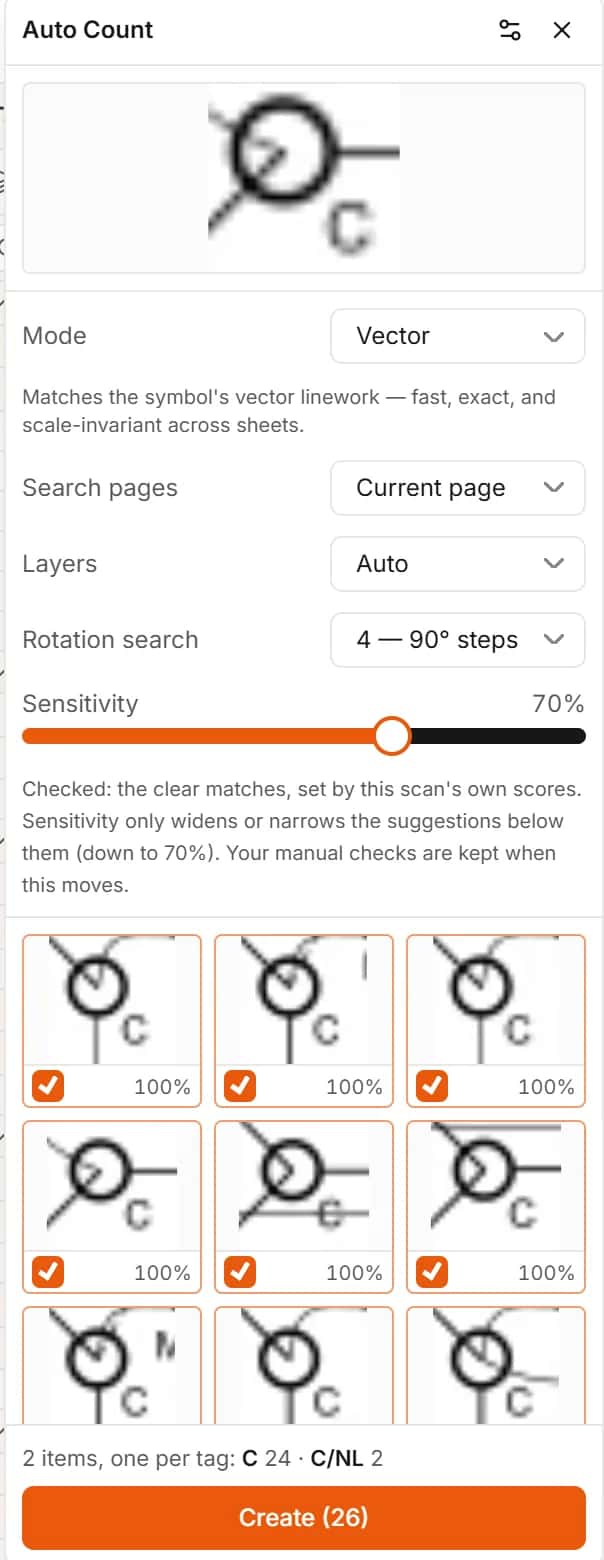
Same symbol, different tag, separate items
When fixtures look alike but carry different tags, like a standard and a night light version, Auto Count makes one item per tag. Where a tag is printed once and marked typical, untagged copies count too.
- One item per printed tag, named by the tag
- Typical (TYP.) symbols handled
- Each created item is its own undo step
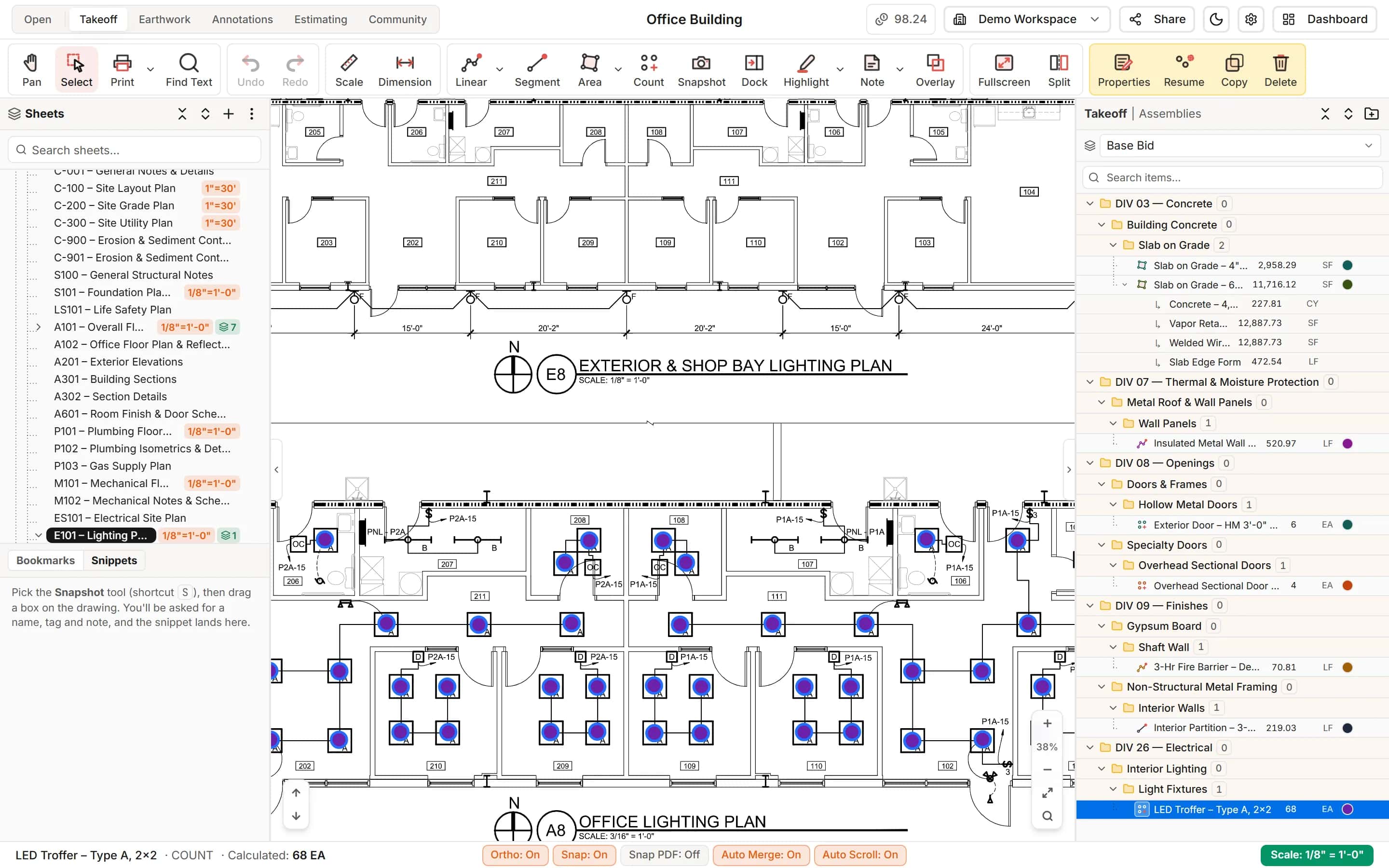
Ready to price
Counts that land in the estimate like any other item
The count Auto Count creates is an ordinary count item: filed under its division, marked on the sheet, editable mark by mark, and already a line in the estimate.
- Add or remove marks by hand afterwards
- Classify it as you create it
- Price it with material and labor straight away
How it works
- 1
Box one symbol
Draw a box around the fixture and choose Auto Count.
- 2
Review the matches
Check the cards. Adjust the sensitivity or uncheck anything that is not a match.
- 3
Create the count
One click makes the count item, filed and ready to price.
Frequently asked questions
Does Auto Count find symbols that are rotated or mirrored?
Yes. Rotation search looks for copies turned in 90 degree steps, and Include Mirror finds mirrored copies. On scanned sheets, Image mode searches in 45 degree steps.
Can I count a symbol across the whole drawing set?
Yes. Choose All pages, or pick the sheets you want, and Auto Count searches each of them.
Does Auto Count work on scanned drawings?
Yes, with Image mode, which matches the picture of the symbol instead of its linework. Vector mode is the better choice on CAD-produced PDFs.
What if Auto Count finds something that is not the fixture I want?
Uncheck it. You review every match before anything is created, and you can raise the sensitivity to hide weaker matches.
Can Auto Count add to a count I already started?
Yes. Select the count item first and Auto Count offers to add its matches to that item instead of creating a new one.
Learn more
Guides for the work behind this feature, useful whatever software you use.
Related features
- TakeoffMeasure lengths, areas and counts on your plans, with every sheet at its own scale.Learn more
- AI toolsRead title blocks, turn schedules into items and ask questions about any part of a sheet.Learn more
- EstimatingPrice every takeoff item with labor, material, equipment and sub quotes, up to the bid total.Learn more
- ClassificationsFile every item under CSI MasterFormat, UniFormat or NRM as you measure.Learn more
Bring your next bid set.
Upload the drawings, set the scale and measure your first item in the same sitting. Your projects live in the cloud, so the whole team opens the same set from any computer.
Start your free trial. No card required.